An IPTV player for iPhone and iPad, in development
ZiroTV is building its IPTV app for iPhone and iPad: live TV, the guide, and films and series from your own Xtream Codes login or M3U link, on the same account as your TV. It is not in the App Store yet.
The same player, made for your hand.
The iOS edition is ZiroTV built for a touchscreen: live TV, the guide, and films and series, sized for a thumb on iPhone and given room on iPad.
It plays the playlist you get from your own provider, as an Xtream Codes login or an M3U link, with the EPG link if they give you one. ZiroTV includes no channels.
An Xtream Codes login also brings your provider’s films and series, with posters and synopses. Not sure which you have? Xtream Codes vs M3U explains the difference.
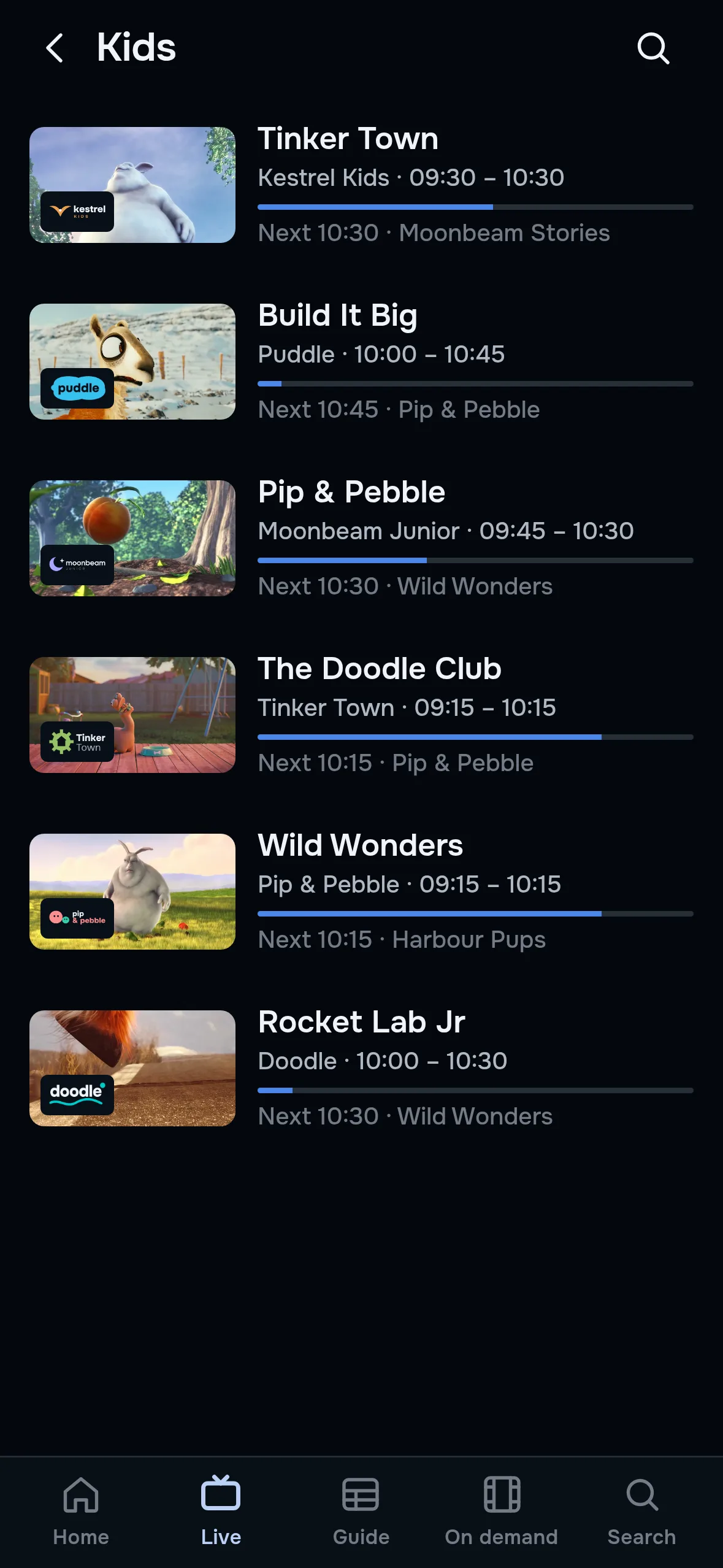
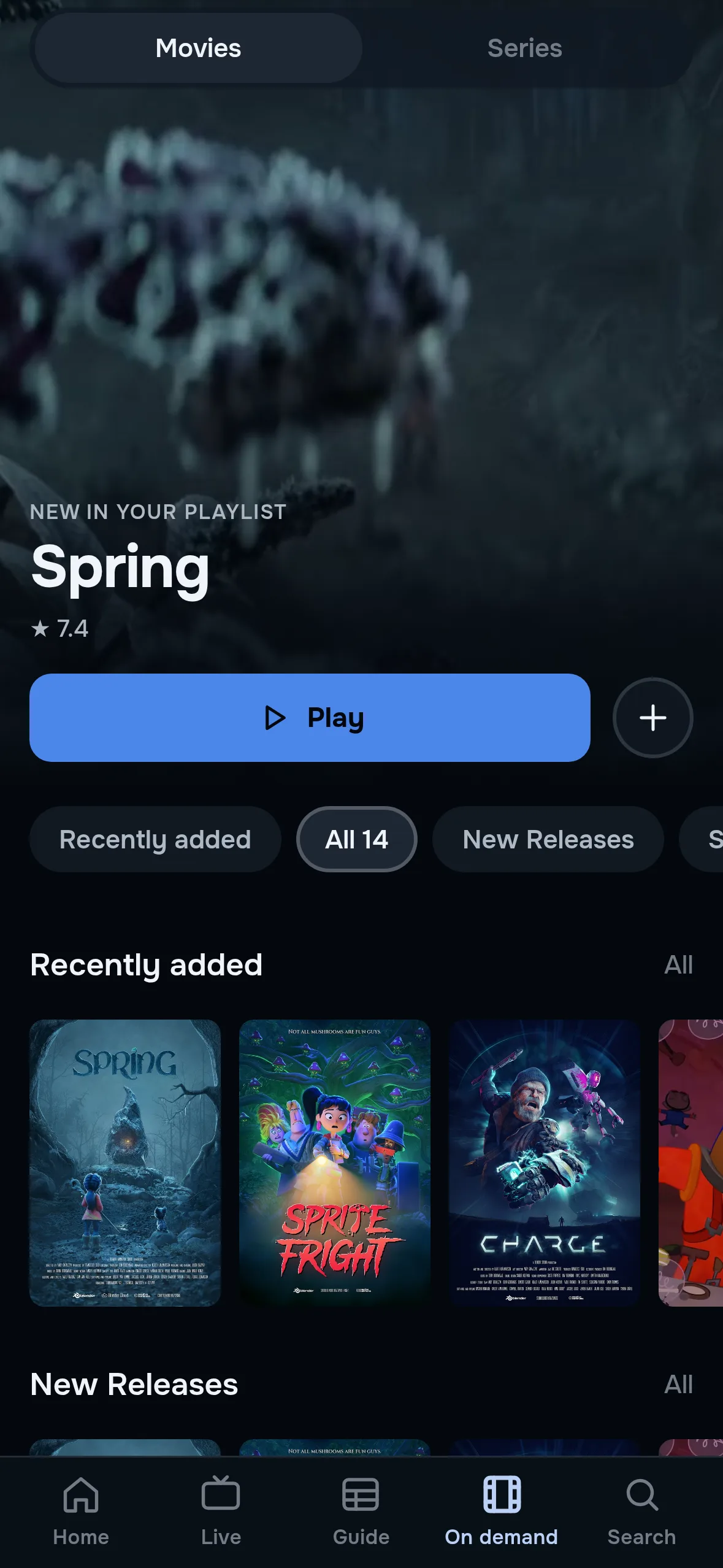
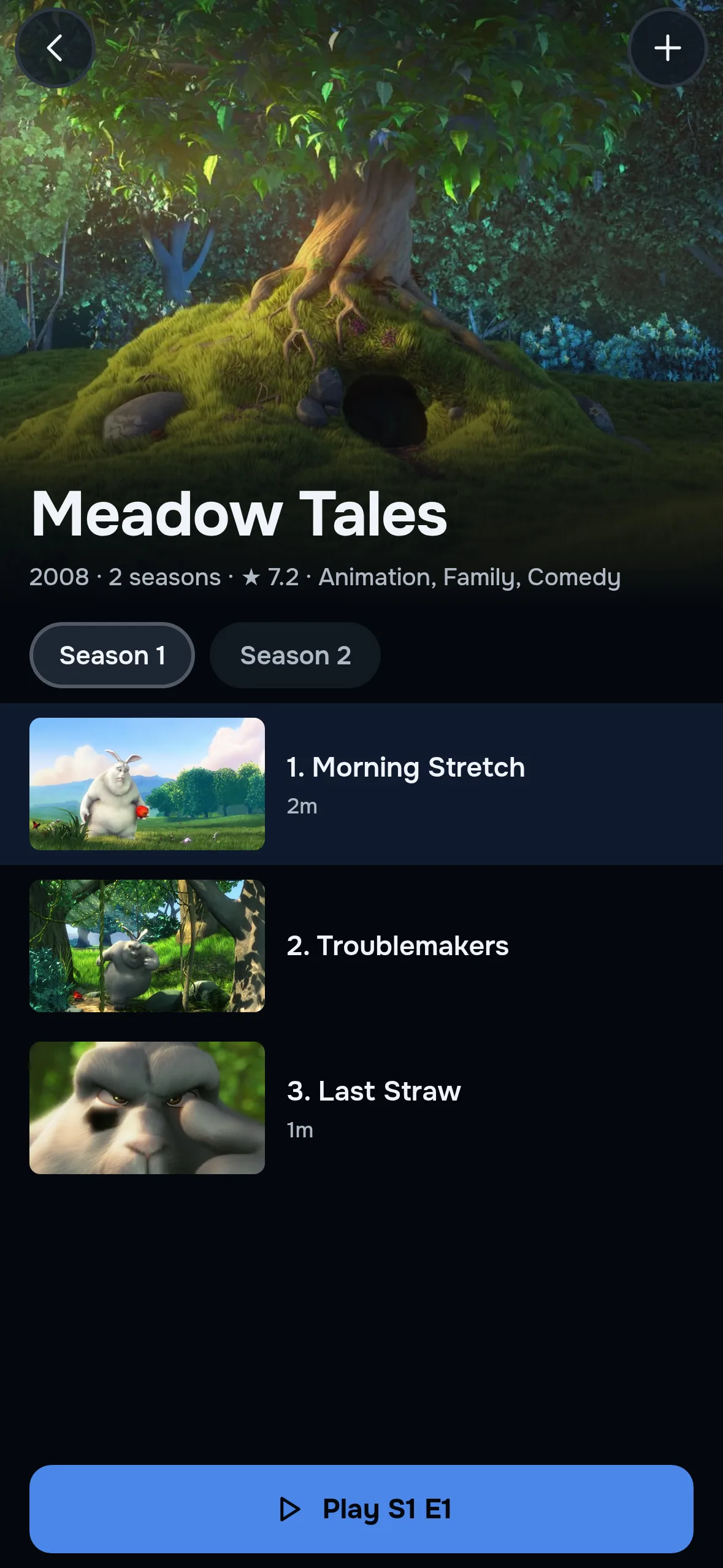
One account, every screen.
Your playlists follow you.
Sign in with the account you use on your TV, and your playlists are already there. Add or edit one at app.zirotv.com, and every screen on the account follows.
Two screens on every plan.
Every plan covers two screens, TVs or phones. An iPhone or iPad signed in to your account counts as one.
The guide in your pocket.
The TV guide comes from your provider’s EPG, the same one your TV reads, so you can check what is on from the sofa or the train.
Best IPTV player for iPhone and iPad? How to choose.
Whichever IPTV app you pick for iOS, check these six things first. We are building ZiroTV for iPhone and iPad to pass all of them.
- Both kinds of login. It should take an Xtream Codes login and an M3U link, so a change of provider never means a change of app.
- A real guide. It should read your provider’s EPG, and match the channels whose IDs do not line up.
- Films and series with posters. An Xtream Codes login carries a whole library. A flat list of file names wastes it.
- One account for every screen. The playlists on your TV should appear on your iPhone without typing them twice.
- No channels of its own. A player that sells or bundles channels is not a player. Bring the provider you already pay for.
- A company you can find. Look for terms, a refund policy and a way to reach a person.
What the iPhone app will not do.
Better to know now than after you install.
- No downloads for offline viewing, now or later: ZiroTV plays your streams over a connection
- No channels, films or playlists of its own
- No Apple TV app. On the big screen, ZiroTV runs on a Google TV device or the Fire TV Stick 4K Max
Until then, start on your TV.
ZiroTV runs today on Fire TV, Google TV, Android TV and Android phones. Install it on your TV and add your playlist.
Every screen gets 7 days free, with no card. Create your account at app.zirotv.com, and it is ready for your iPhone the day the app arrives.
iPhone and iPad questions.
When does the iPhone app come out?
There is no date yet: the iPhone and iPad app is in development. Leave your email address at the top of this page, and we email you once, the day it is in the App Store. Until then, ZiroTV runs on Fire TV, Google TV, Android TV and Android phones.
Will it work on iPad?
Yes. It is one app for iPhone and iPad: a touch layout sized for your thumb on a phone, with room for the guide and posters on an iPad. Each one you sign in to your account counts as one of your screens.
Can I download films to watch offline?
No. ZiroTV plays your streams over a connection and saves nothing to watch offline, on iPhone, iPad, Android or a TV.
Will it run on Apple TV?
No. The phone edition is for iPhone and iPad. For the big screen, a Google TV device or the Fire TV Stick 4K Max in a spare HDMI port runs ZiroTV as it was designed, with its own remote.
Start on your TV tonight.
Download the app, add your playlist and enjoy 7 days on us.
Already have an account? Sign in at app.zirotv.com