IPTV player for Samsung Smart TVs: coming to Tizen, no stick needed
Live TV with the full guide, films and series from your own Xtream Codes login or M3U link, straight on your Samsung TV with no stick in the HDMI port. It is in development and not available yet.
Why another IPTV app for Samsung TV?
Because the ones there now feel like a settings menu.
Most IPTV apps on Samsung Smart TVs are lists of small text, slow to scroll, with a guide that often stays empty and films shown as file names.
We built ZiroTV for Fire TV and Google TV to be the opposite: large type, a focus you can always see, and the guide, films and series laid out like a streaming service. The Samsung TV app brings that to Tizen, made for the Samsung remote.
What ZiroTV for Samsung TV will do.
What ZiroTV does on Android TV today, on the TV you already own.
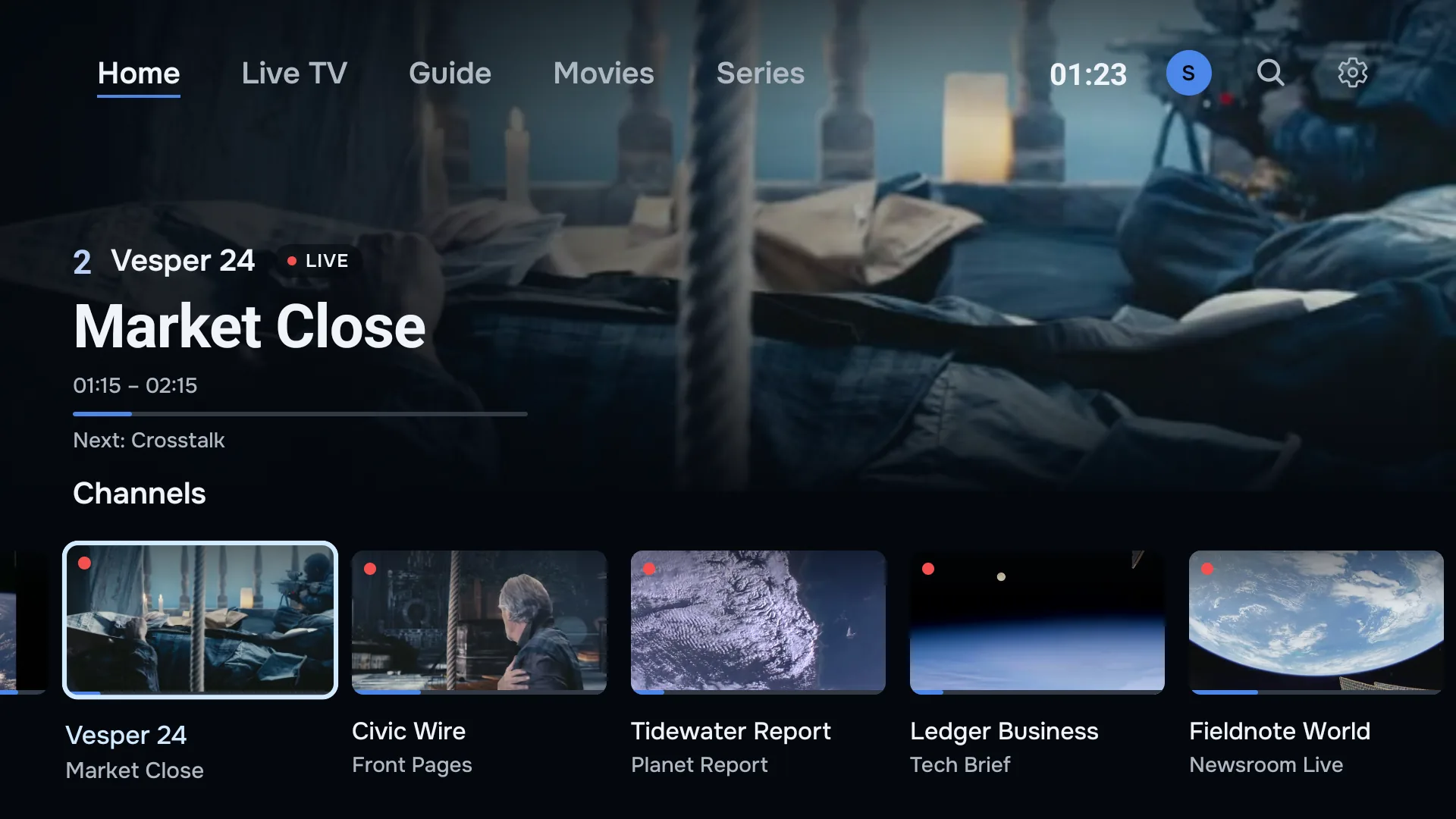
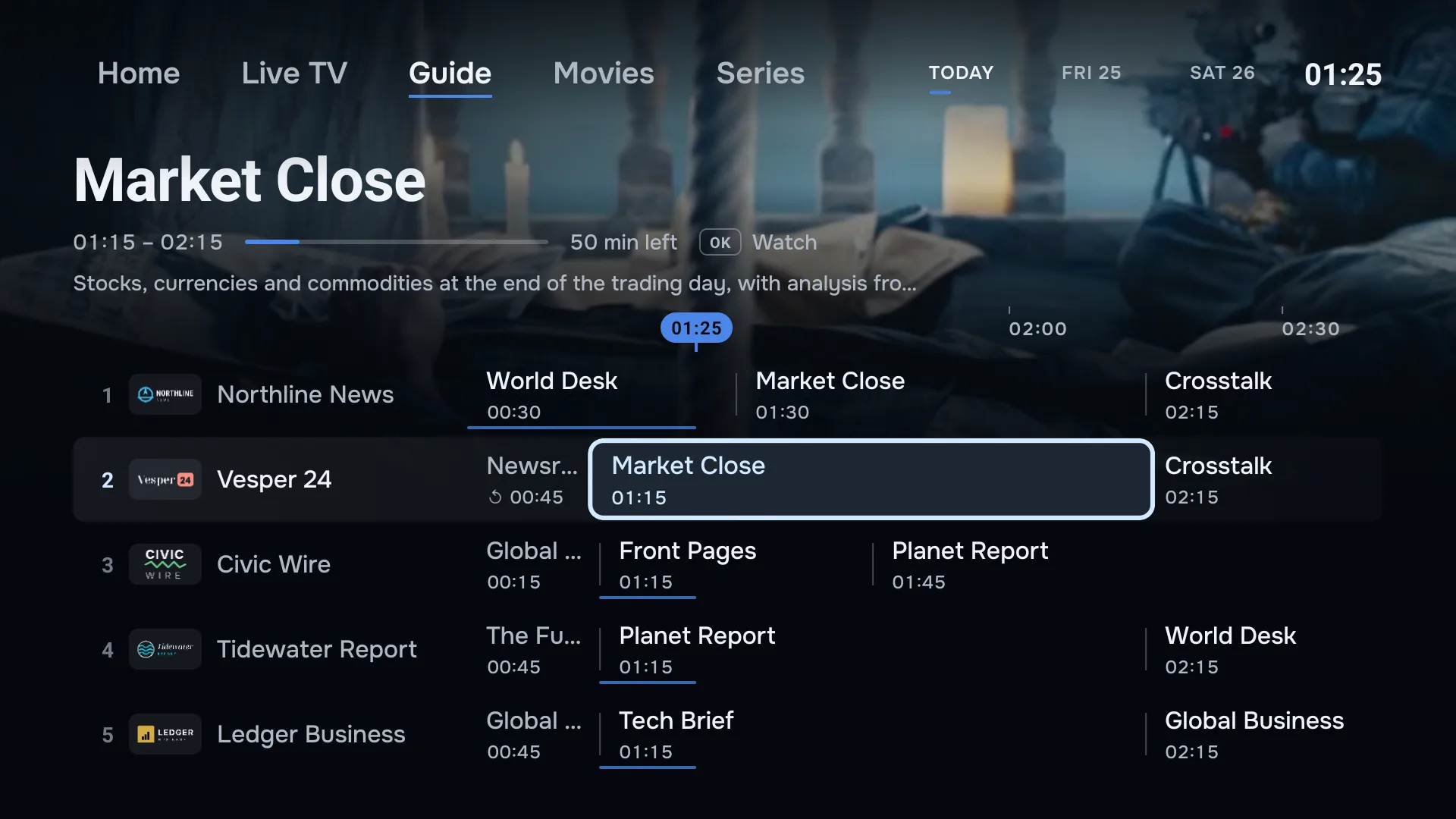
- Live TV and the full guide
- Your channels with the guide from your provider’s EPG, matched by name when the IDs do not line up.
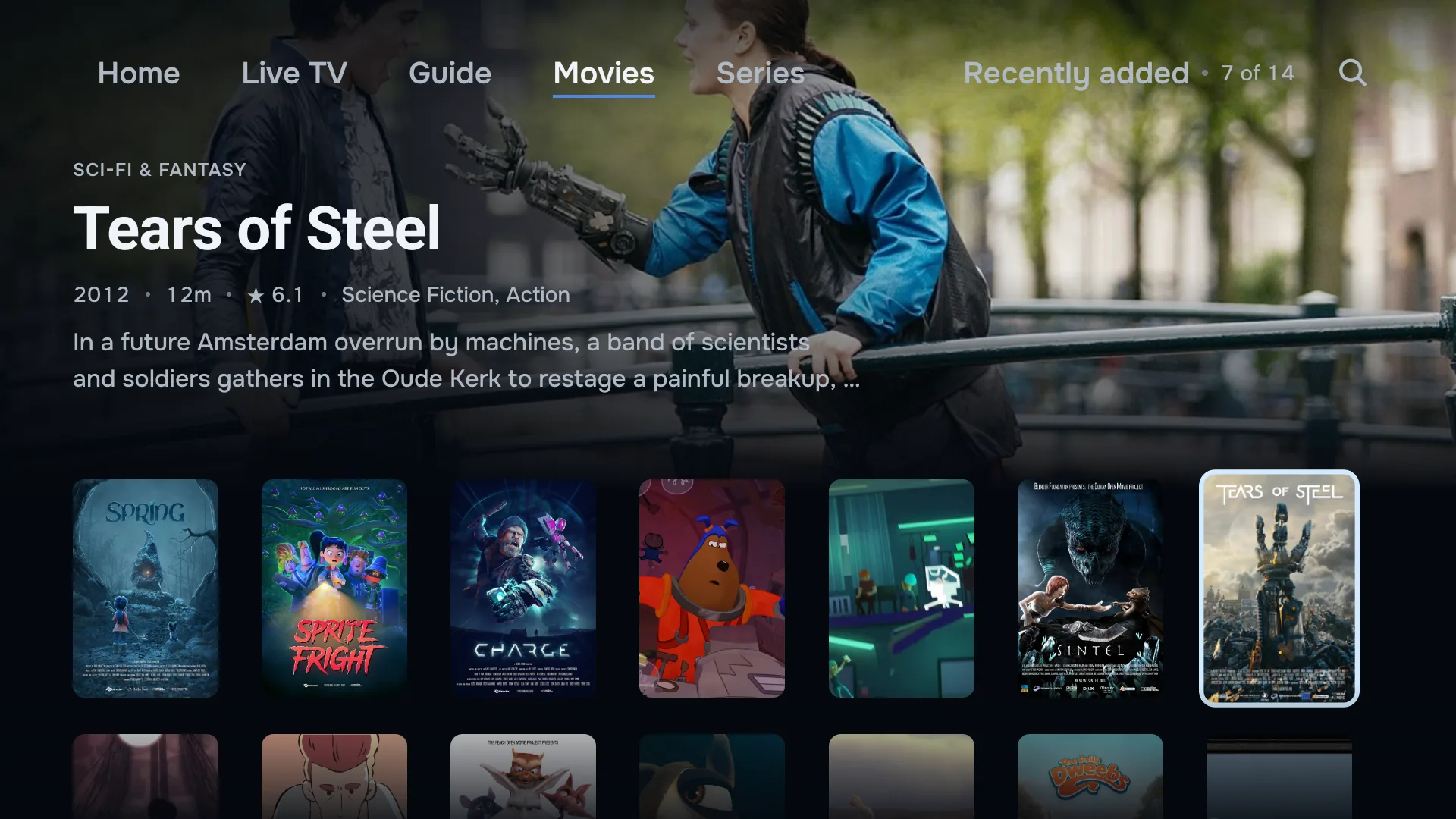
- Films and series
- Backdrops, posters and synopses, continue watching, and the next episode on its own.
- Your own playlist
- An Xtream Codes login or an M3U link from the provider you already pay. We sell no channels.
- One account
- The account you use on Fire TV, Google TV or your phone, with your playlists already there.
Want it tonight? Use a streaming stick.
A Google TV device or the Fire TV Stick 4K Max in a spare HDMI port runs ZiroTV now. Switch to it with the source button on your Samsung remote.
Plug in a streaming device.
A Google TV device or the Fire TV Stick 4K Max in a spare HDMI port, with its own remote.Install ZiroTV.
With the Downloader app and our short code, in a few minutes.Add your playlist.
Your Xtream Codes login or M3U link, typed on the TV or sent from your phone with a QR code.
Every screen gets 7 days free, with no card. Create your account at app.zirotv.com, and your playlists are waiting the day the Samsung app arrives.
Samsung TV questions.
Is there a ZiroTV app for Samsung TV yet?
Not yet. ZiroTV for Samsung Smart TVs is in development, and there is no release date. Leave your email address below, and we email you once, the day it launches.
Until then, a Google TV device or the Fire TV Stick 4K Max in a spare HDMI port runs ZiroTV today, with its own remote. ZiroTV on Fire TV.
Which Samsung TVs will it run on?
Samsung Smart TVs on Tizen, Samsung’s own TV system. We publish the exact model years at launch, once the app has been tested on them.
What is the best IPTV app for Samsung TV?
The one that plays your own playlist well with the remote you already have: a guide that fills in, films and series with their posters, type you can read from the sofa, and a company you can reach. Check those in any app you try. We are building ZiroTV for Samsung TV to pass all of them.
Will my ZiroTV account work on a Samsung TV?
Yes. Sign in with the account you use on your other screens, and your playlists are there. Every plan covers two screens, and every screen you sign in on will count as one of them.
Will the Samsung app come with channels?
No. ZiroTV is a player: it plays the Xtream Codes login or M3U link you get from your own provider, and we sell no channels.
What happens to the address I leave for ZiroTV for Samsung TV?
First you get an email with a link to confirm the address; only then is it on the list. After that we write once, the day ZiroTV for Samsung TV launches. Nothing else. An address nobody confirms is deleted after 30 days, and a confirmed one once that launch email has gone out, or earlier if you use the unsubscribe link in any email we send. Privacy policy.
Get the launch email.
Leave your address and we write once, the day ZiroTV for Samsung TV is ready.
Start on a stick tonight.
Download the app, add your playlist and enjoy 7 days on us.
Already have an account? Sign in at app.zirotv.com