The IPTV player for your Windows PC
Live TV, the full guide, and films and series from your own Xtream Codes login or M3U link, on your PC or laptop. Made for a mouse and keyboard, on the same account as your TV.
The installer is not code-signed yet, so Windows asks once before it runs it. What to choose
Installed in a minute.
Windows does not know our name yet, so the first time it may hold the installer back. Two clicks let it through.
Open the file.
Open the installer you downloaded, from your browser or your Downloads folder.Choose More info.
If a blue window says Windows protected your PC, choose More info under its message.Choose Run anyway.
ZiroTV installs and opens. Add your playlist, or sign in and the ones in your account are there.
Code signing is on its way, and with it this warning goes.
Made for a desk, not a remote.
The player we built for the TV, on your monitor: large artwork, a guide that fills in, and controls for a mouse and keyboard.
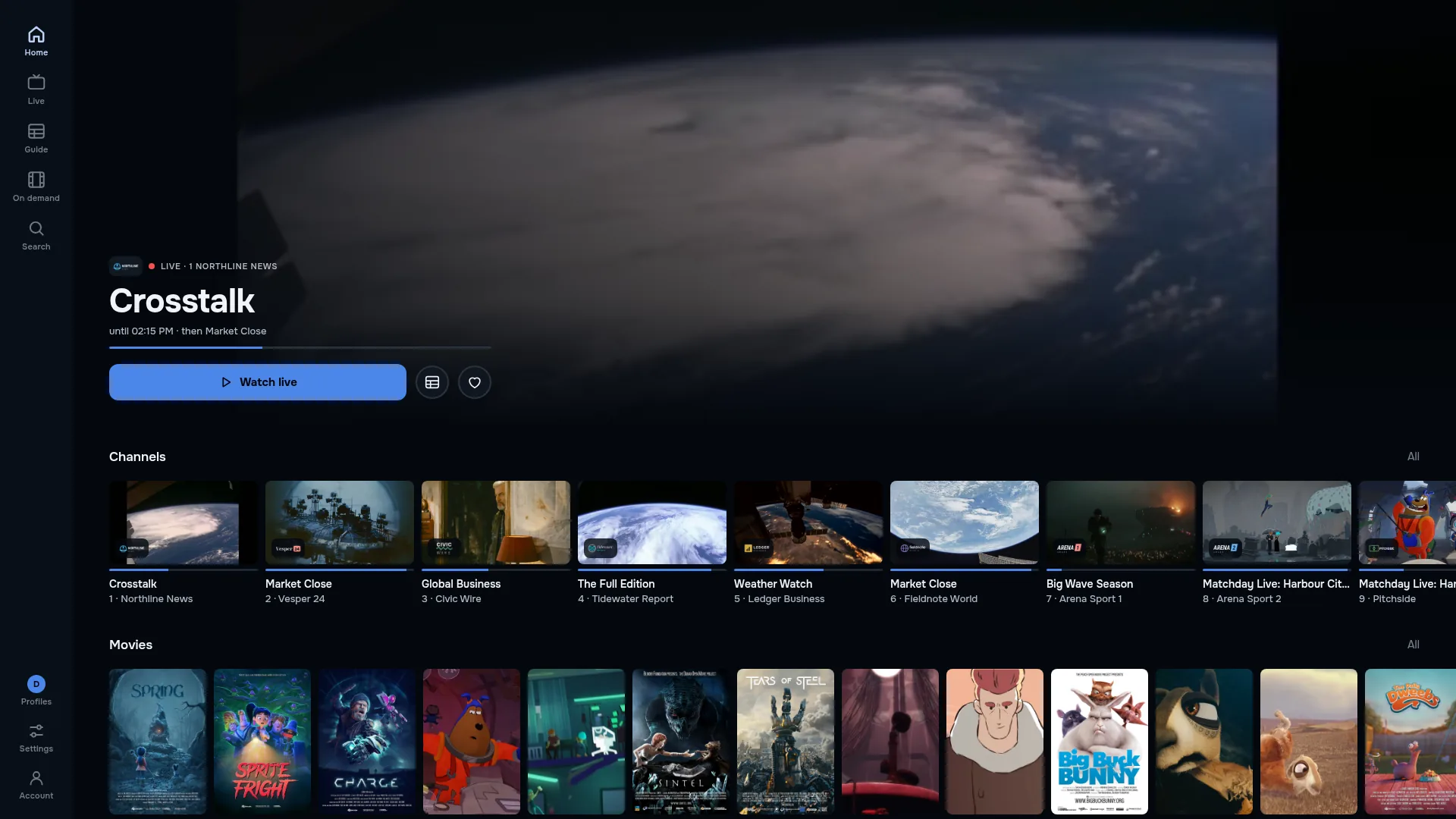
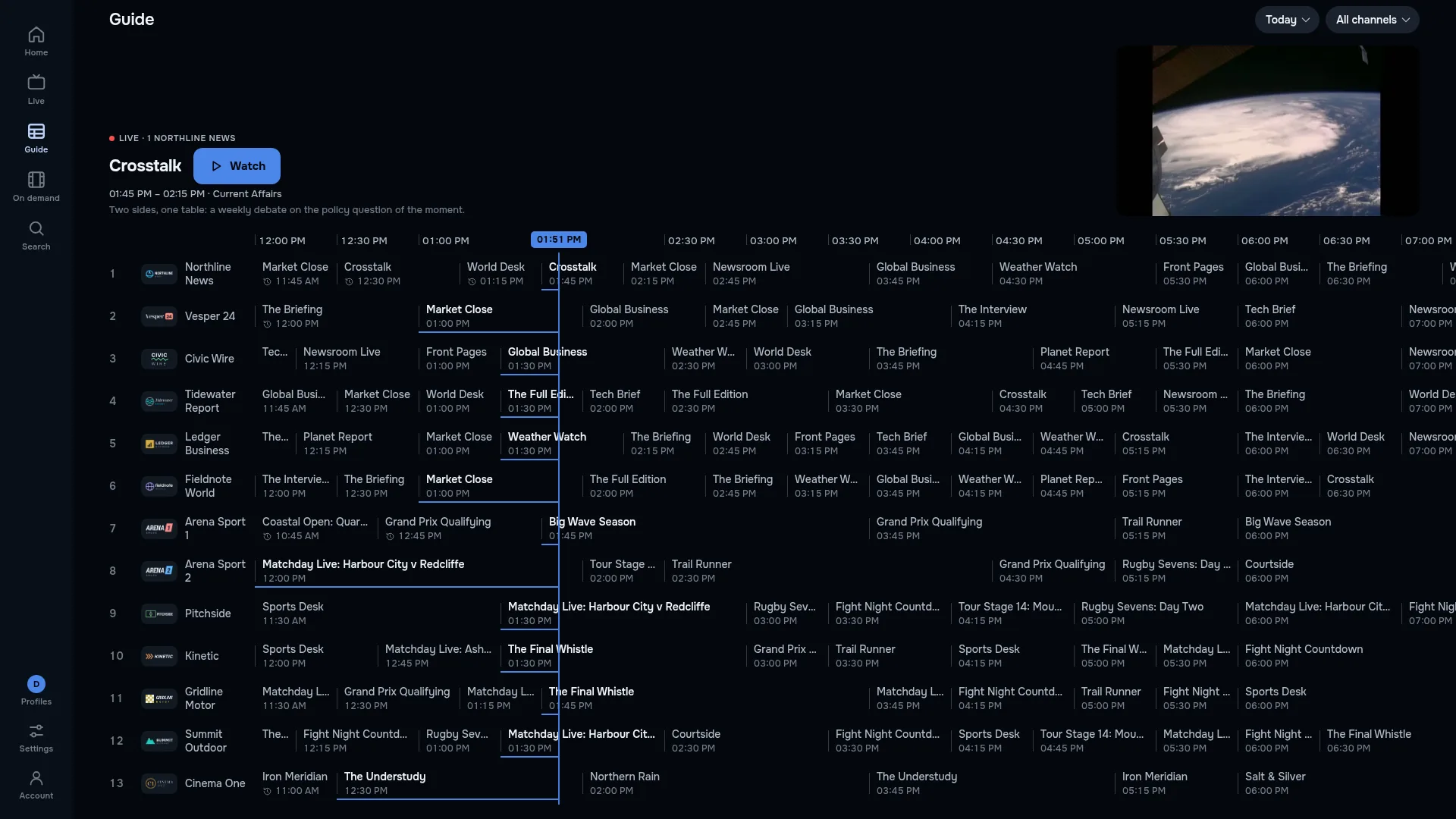
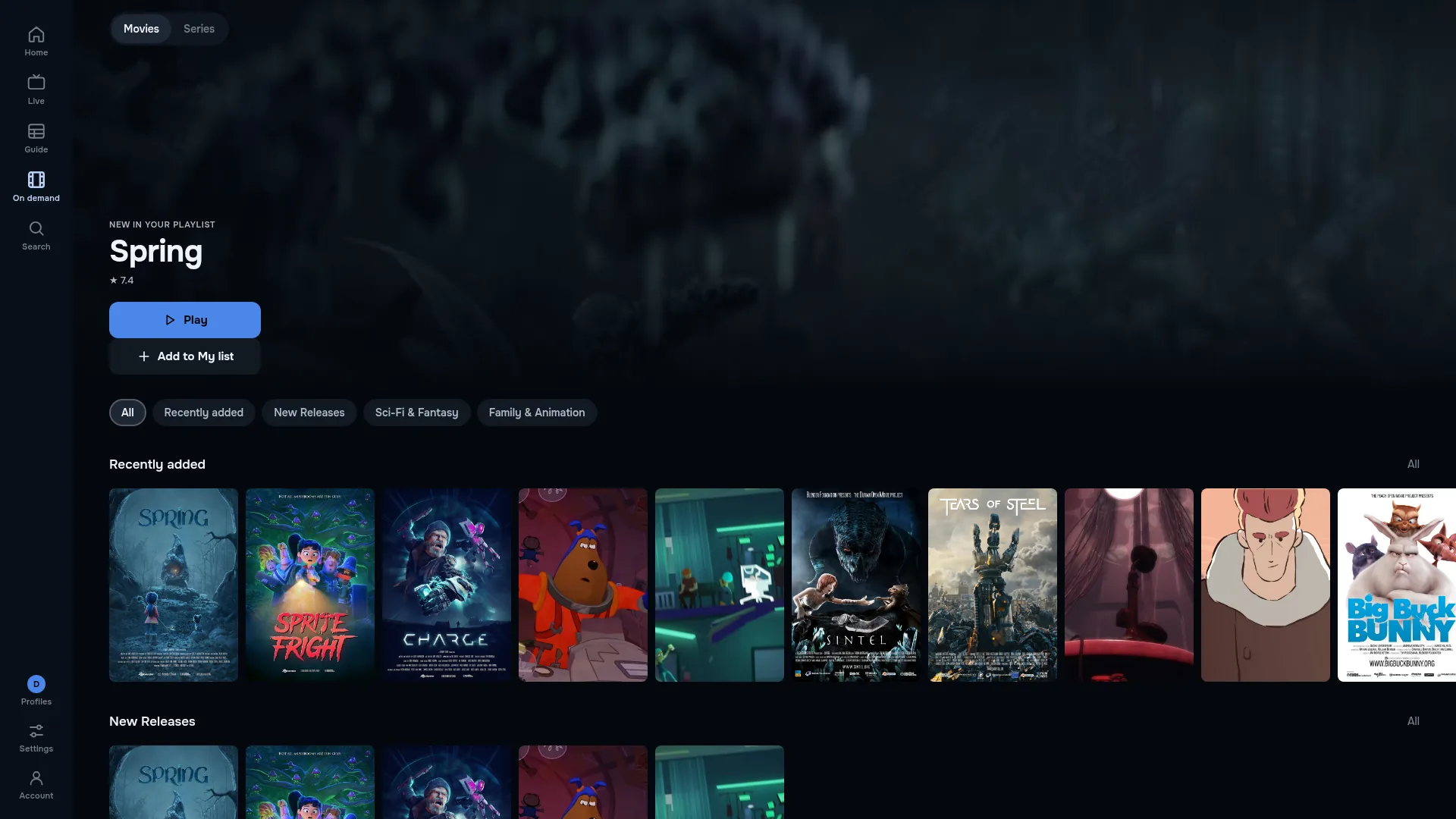
- Live TV and the full guide
- Your channels with the guide from your provider’s EPG, laid out across the width of a monitor.
- Films and series
- Posters, seasons and episodes, and Continue watching for what you started.
- Your own playlist
- Your Xtream Codes login or M3U link, from the provider you already pay. We sell no channels.
- Keyboard and mouse
- Point and click through channels and the guide, or keep your hands on the keyboard.
7 days free, then your plan.
Your first 7 days on this PC are free, with every feature and no card.
To keep watching, select Choose a plan in your browser in the app. It opens checkout at app.zirotv.com in your browser, with the plans and prices on this site, and the app unlocks as soon as the payment goes through.
Every plan covers two screens, so your PC and your TV can share one.
Check the file.
For those who check: the installer’s SHA-256 checksum. If the one Windows gives you matches, the file is the one we published.
- SHA-256
d260886788d2af6bee52510ba649cc710910aec4a29157113ede4dd6794d9258- In PowerShell, from the folder the file is in:
Get-FileHash .\ZiroTV-latest-Setup.exe
Windows questions.
Why does Windows say it protected my PC?
The installer is not code-signed yet, so Windows asks once before it runs it. The steps on this page show what to click. Code signing is on its way, and with it this warning goes. To be sure the file is ours, compare its checksum with the one we publish.
Which versions of Windows does it run on?
Windows 10 or newer, on 64-bit PCs and laptops.
How do I buy a plan on Windows?
To keep watching, select Choose a plan in your browser in the app. It opens checkout at app.zirotv.com in your browser, with the plans and prices on this site, and the app unlocks as soon as the payment goes through. See plans and prices.
Does one plan cover my PC and my TV?
Yes. Every plan covers two screens, so your PC and your TV can share one.
Can I use my Xtream Codes login on a PC?
Yes. Add the same Xtream Codes login, the server address, username and password, or the M3U link your provider gave you. Sign in, and the playlists already in your ZiroTV account are there.
Is there a Linux or Mac version?
ZiroTV for Linux is in development, and its page takes your address for one email on launch day. There is no version for a Mac.
What is the best IPTV player for Windows?
The one that plays your own playlist well on a computer: a guide that fills in, films and series with their posters, a keyboard and a mouse that both work, and a company you can reach. Check those in any player you try. ZiroTV for Windows is built to pass all of them.
Get ZiroTV on your PC tonight.
Download the app, add your playlist and enjoy 7 days on us.
Already have an account? Sign in at app.zirotv.com