The IPTV player made for your Fire TV remote
ZiroTV is an IPTV player built for the Fire TV remote. Install it on a Fire TV Stick or Fire TV Cube in about three minutes, bring your own Xtream Codes login or M3U link, and try every feature free for 7 days.
Signed by BITVIRE and served only from zirotv.com.
On a Fire TV or Google TV, open Downloader and type
zirotv.com/apk
- Fire TVFire OS 6 or newer
- Google TV and Android TVAndroid 7.0 or newer
- Android phones and tabletsAndroid 7.0 or newer
Which Fire TV devices work?
| Works | Does not work |
|---|---|
| Fire TV Stick 4K Max, Fire TV Stick 4K and Fire TV Stick 4K Plus | The Fire TV Stick 4K Select, on Vega OS |
| Fire TV Stick (3rd generation), Fire TV Stick Lite and the 2024 Fire TV Stick HD | The 2026 Fire TV Stick HD, on Vega OS |
| Fire TV Cube, and TVs with Fire TV built in, on Fire OS 6 or newer | Older Fire TV devices still on Fire OS 5 |
To check yours, go to Settings > My Fire TV > About. If the software version starts with Fire OS 6, 7, 8 or higher, ZiroTV installs. If it reads OS 1, the device runs Vega OS, which only installs apps from the Amazon Appstore, as AFTVnews reported in June 2026.
Install ZiroTV on a Fire TV Stick in three minutes.
- Search for Downloader on the home screen and install it.
- Go to Settings > My Fire TV > About and select your device name seven times, until a message says you are a developer.
- Go back to Settings > My Fire TV > Developer options > Install unknown apps and switch Downloader on.
- Open Downloader, type zirotv.com/apk in the address box and select Go.
- Select Install, then Open. When Downloader offers to delete the file, say yes to save space.
Not on the Fire TV Stick 4K Select or the 2026 Fire TV Stick HD. They run Vega OS, which only installs apps from the Amazon Appstore.
The full Fire TV install guideIf the install fails.
- No Developer options? They only appear after step 2. Go back to Settings > My Fire TV > About and select the device name seven times.
- “App not installed”. The Fire TV is short on space or older than Fire OS 6. Free up space under Settings > Applications > Manage Installed Applications and try again.
- “There was a problem parsing the package”. The download was cut short. Download the file again in Downloader.
Made for the Fire TV remote.
Every screen works with the D-pad.
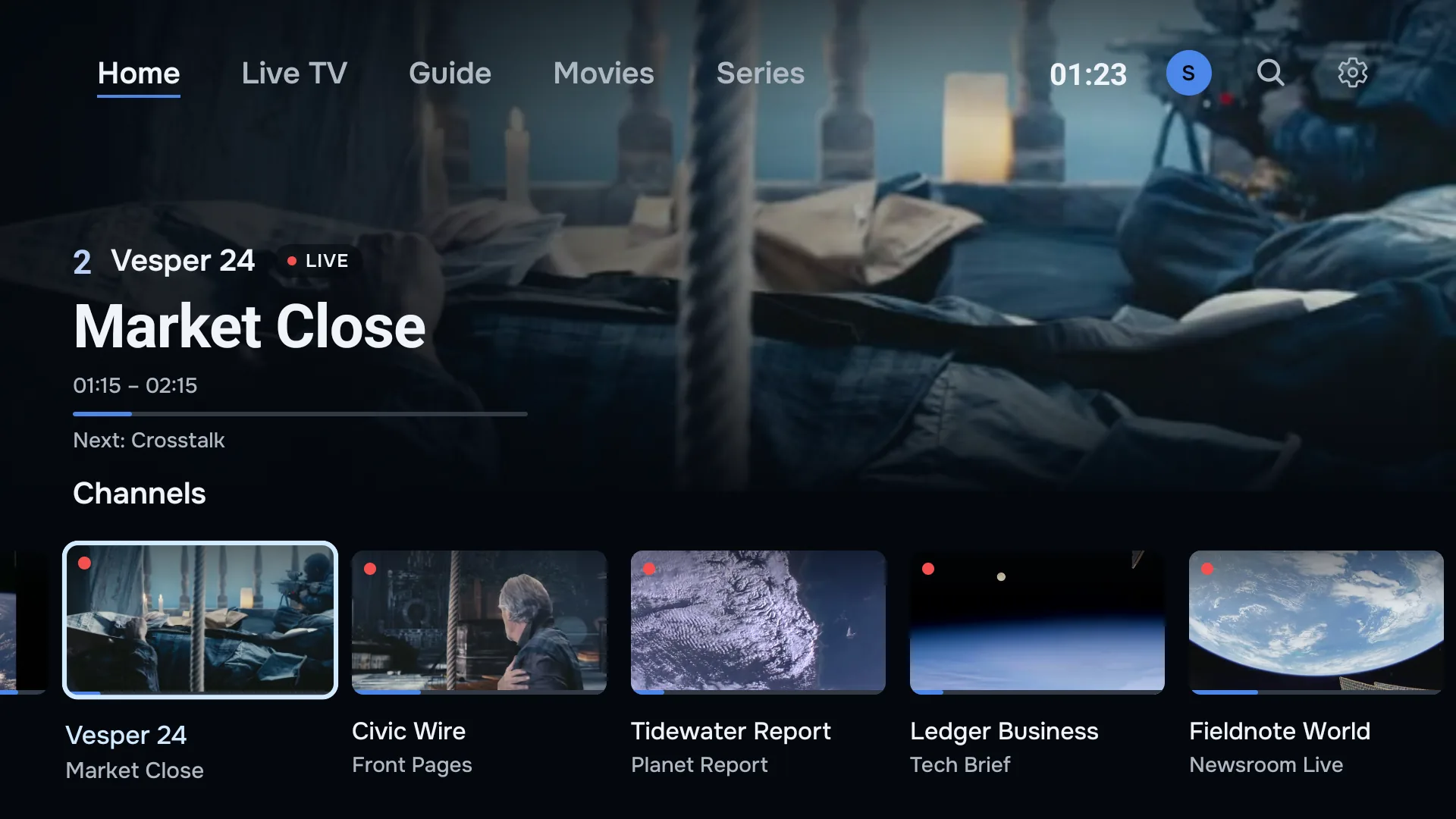
Home, Live TV and Guide sit along the top of the screen, by name and one press apart, with Movies and Series when your playlist carries them (an Xtream Codes login does). The item in focus is clearly marked, so you always know where you are. While you watch, each button has one job.
- Up and down
- Change channel while you watch.
- OK
- Opens the channel list. Hold it to open the full guide.
- Rewind and fast-forward
- Step back through live TV where your provider keeps an archive, and catch up again. Play jumps back to live.
- Menu
- Opens the audio and subtitle tracks the stream carries.
Add your playlist without typing on the remote.
Choose Add from your phone, and your Fire TV shows a code. Scan it and type your Xtream Codes login or M3U link on your phone instead.
Can’t scan it? Open app.zirotv.com/add on any phone or computer and enter the code and key from the screen. Save, and the playlist appears on the TV.
With an account, manage your playlists at app.zirotv.com/account. Add, edit or delete one there, and a Fire TV signed in to the account follows by itself, with a New playlist notice when one arrives.
Films, series and the goal you missed.
Laid out like a streaming service.
Your provider’s films and series arrive with backdrops, posters and synopses. Continue watching plays on from where you stopped, and the next episode of a series starts on its own.
On live TV, press rewind on the remote to see a moment again, or go back in the guide to play a programme that has aired, on channels where your provider keeps an archive.
See every feature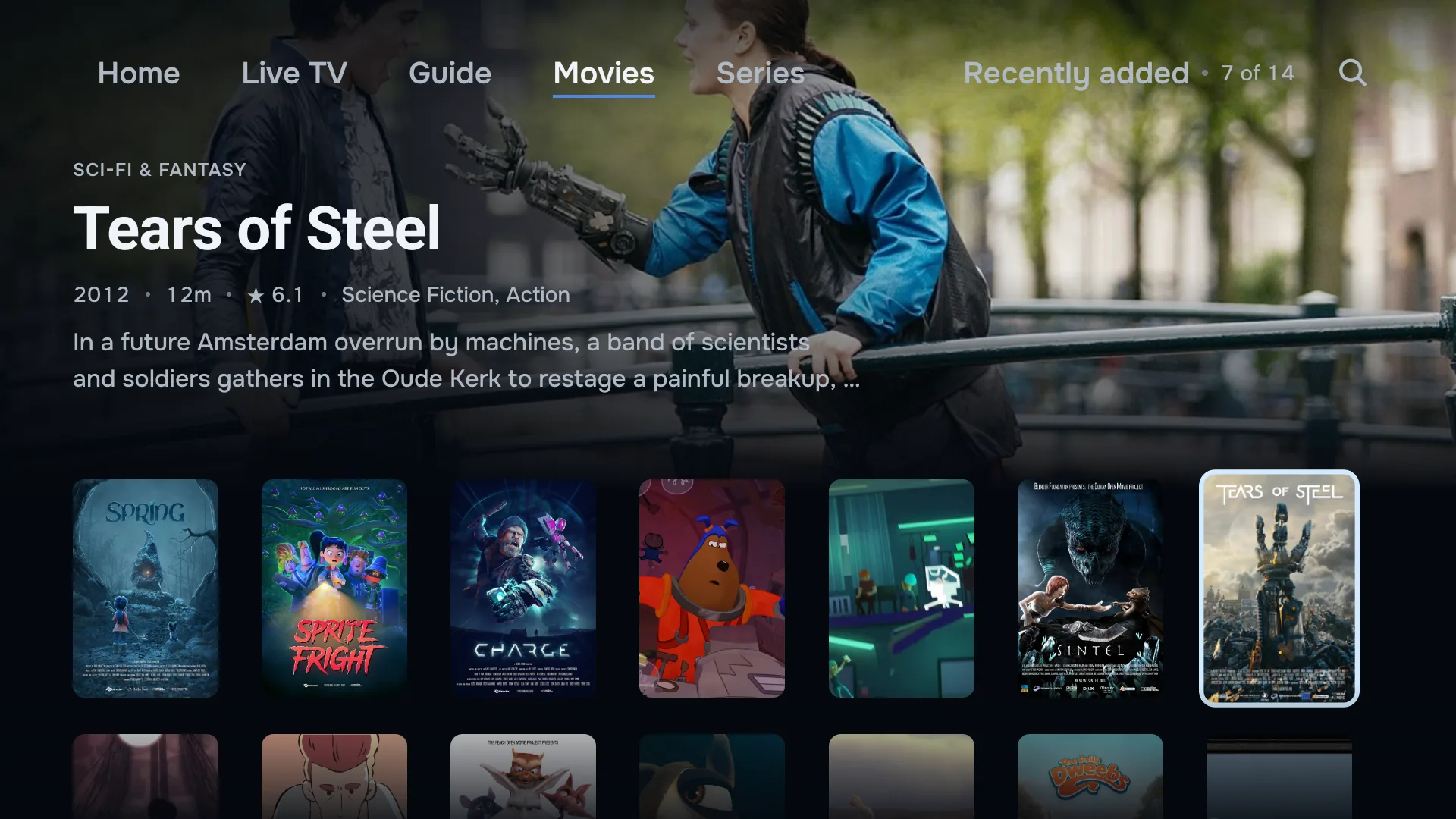
Your Fire TV and your phone.
Sign in to the same account on your Fire TV and your Android phone, and your playlists are on both.
The phone adds what a TV cannot do well: downloads for offline viewing, picture-in-picture, and a reminder a minute before a programme starts. Your plan covers two screens, and a phone counts as one.
Best IPTV player for Firestick? How to choose.
Whichever player you pick, check these six things first. We built ZiroTV to pass all of them.
- Made for the remote. Every screen should work with the D-pad alone, with no mouse mode or on-screen cursor.
- A real guide. It should read your provider’s EPG, and match the channels whose IDs do not line up.
- Catch-up and rewind. Both need an archive from your provider, and the player should use it wherever there is one.
- Updates that reach you. An app installed with Downloader should update itself, or you will be reinstalling by hand.
- A clear price. Check what a free version leaves out, and how many screens a plan covers.
- A company you can find. Look for terms, a refund policy and a way to reach a person.
Fire TV questions.
Why isn’t ZiroTV in the Amazon Appstore?
It is not listed there yet, so you install it from zirotv.com with the Downloader app. You only do that once: new versions arrive inside ZiroTV.
Is it safe to switch on “Install unknown apps”?
Yes, as long as you only allow apps you trust. On Fire OS 7 and newer the setting covers only the app you switch on, here Downloader, and you can switch it off again after installing. The first time ZiroTV installs an update, your Fire TV may ask you to allow ZiroTV in the same list.
Will ZiroTV update itself on Fire TV?
Yes. When a new version is out, ZiroTV offers it as you open the app. Select Update now: ZiroTV downloads it and opens the Fire TV installer, where you select Install. Your playlists and settings stay. You can also look under Settings > Check for updates.
My Fire TV is short on storage. What can I do?
Let Downloader delete the file once ZiroTV is installed. Then go to Settings > Applications > Manage Installed Applications, and uninstall apps you no longer use or clear their cache. The download is 118 MB, and the app needs more once it has loaded your guide.
Do I need a remote with number keys?
No. The standard Fire TV remote does everything: up and down change channel, OK opens the channel list, and holding OK opens the guide. If your remote does have number keys, type a channel number to jump straight to it.
Does it work on a TV with Fire TV built in?
Yes, if the TV runs Fire OS 6 or newer. Look under Settings > My Fire TV > About: the software version should say Fire OS. Install ZiroTV the same way as on a Fire TV Stick.
Get ZiroTV on your TV tonight.
Download the app, add your playlist and enjoy 7 days on us.
Already have an account? Sign in at app.zirotv.com