The IPTV player for your Mac
Live TV, the full guide, and films and series from your own Xtream Codes login or M3U link, on your MacBook, iMac or Mac mini. Made for a trackpad and keyboard, on the same account as your TV.
Which Mac do I have? In the Apple menu, choose About This Mac: a line called Chip means Apple silicon, a line called Processor means Intel.
Drag it into Applications. The first time, macOS says it cannot check the app, and you allow it once in System Settings. How
From 1 January 2027, new subscriptions pay more. Subscribe before then and keep your price. See plans
Installed in a minute.
A disk image, like most Mac apps from the web: open it, and drag the app to where your apps live.
Open the file.
Open the disk image you downloaded, from your browser or your Downloads folder.Drag it to Applications.
In the window that opens, drag ZiroTV onto the Applications folder, then eject the disk image.Open ZiroTV.
Open it from Applications. If your Mac says it cannot check the app, choose Done, then open System Settings, go to Privacy & Security and click Open Anyway next to ZiroTV. On macOS 13 and 14 you can instead Control-click the app and choose Open. Add your playlist, or sign in and the ones in your account are there.
macOS does this once, for an app it cannot check with Apple. After that, ZiroTV opens like any other app.
Before you add your playlist, read what an M3U file is and whether to use Xtream Codes or M3U.
The TV player, on your Mac.
The player we built for the TV, on your Mac: large artwork, a guide that fills in, and controls for a trackpad, a mouse and a keyboard.
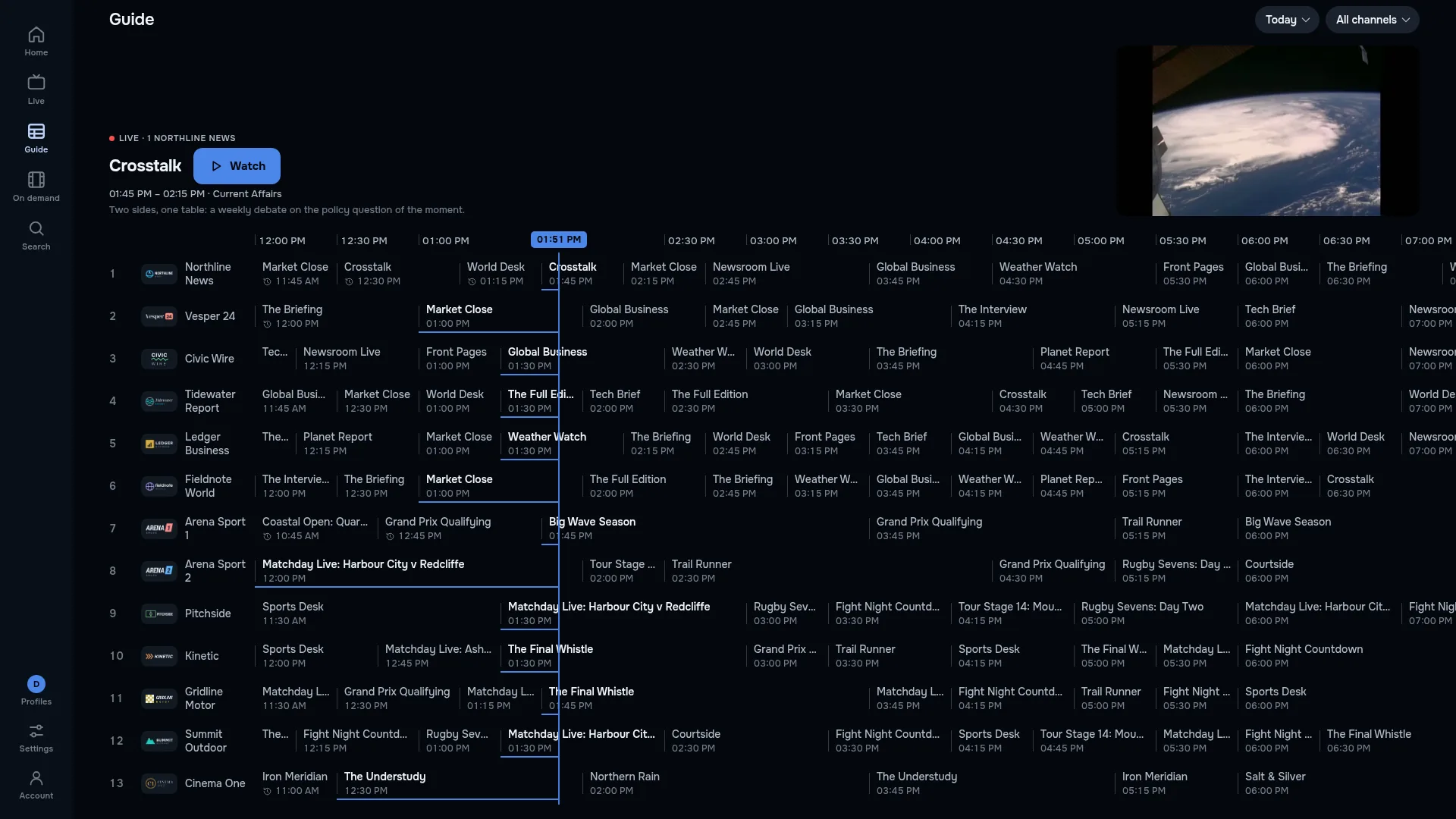

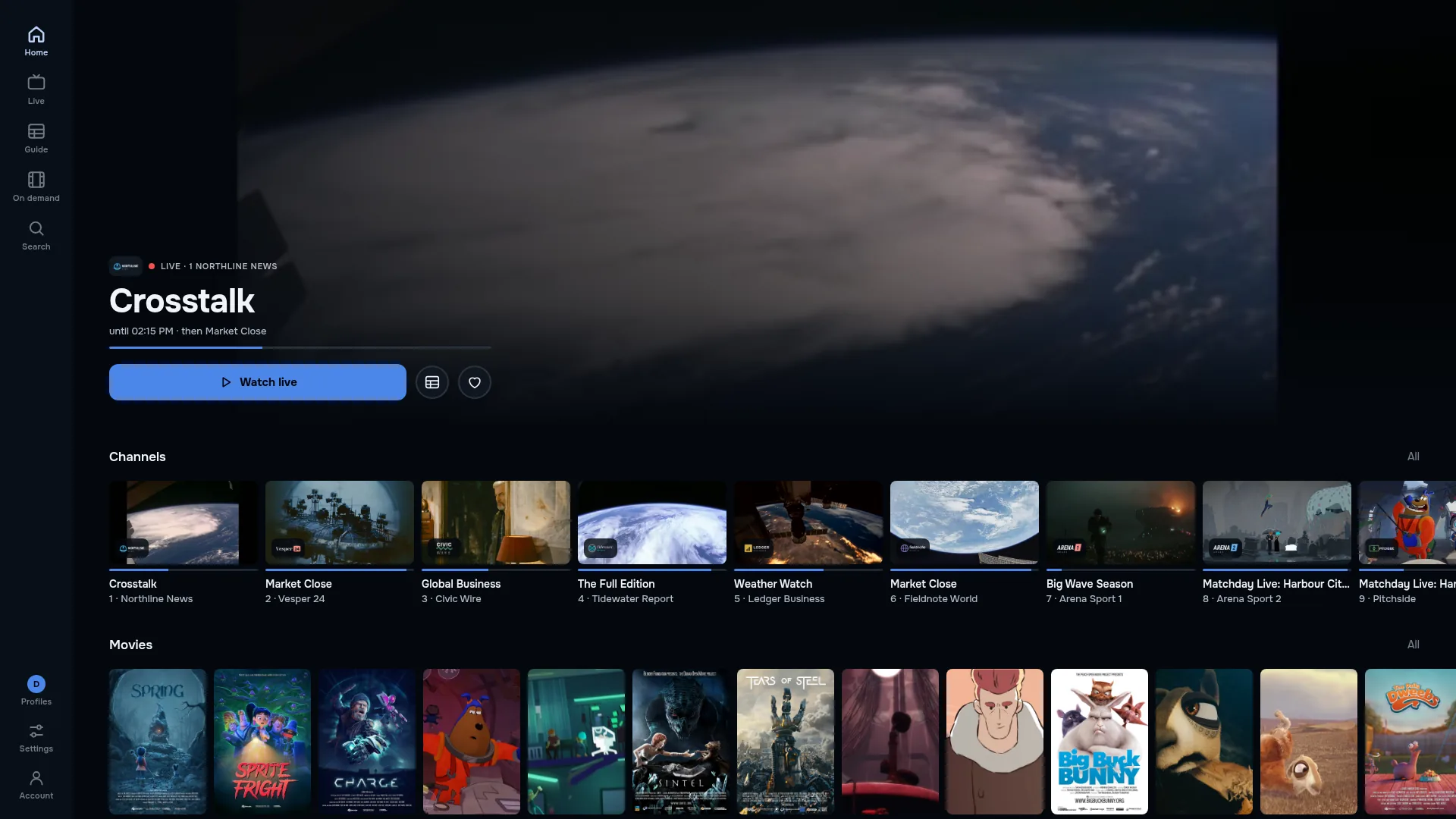
- Live TV and the full guide
- Your channels with the guide from your provider’s EPG, laid out across the width of a monitor.
- Films and series
- Posters, seasons and episodes, and Continue watching for what you started.
- Your own playlist
- Your Xtream Codes login or M3U link, from the provider you already pay. We sell no channels.
- Keyboard and mouse
- Point and click through channels and the guide, or keep your hands on the keyboard.
7 days free, then your plan.
Your first 7 days on this Mac are free, with every feature and no card.
To keep watching, select Choose a plan in your browser in the app. It opens checkout at app.zirotv.com in your browser, with the plans and prices on this site, and the app unlocks as soon as the payment goes through.
Every plan covers two devices, so your Mac and your TV can share one.
Check the file.
For those who check: each disk image’s SHA-256 checksum. If the one Terminal prints matches, the file is the one we published.
- SHA-256: Apple silicon
30eb249af7deb99a4b6c1a7b35c80d075778579a971d1b81dbb77074d7c45b45- SHA-256: Intel
ca0a2ac3d408f6a4ff73a94c0bf1d816aef2f2f17318501171371db2e9938a64- In Terminal, from the folder the file is in:
shasum -a 256 ZiroTV-latest-mac-arm64.dmgshasum -a 256 ZiroTV-latest-mac-x64.dmg
Mac questions.
Why does my Mac warn me before ZiroTV opens?
Drag it into Applications. The first time, macOS says it cannot check the app, and you allow it once in System Settings. The steps on this page show what to click. macOS does this once, for an app it cannot check with Apple. After that, ZiroTV opens like any other app. To be sure the file is ours, compare its checksum with the one we publish.
Which Macs does it run on?
MacBook, iMac, Mac mini and every other Mac with macOS 13 or newer, Apple silicon or Intel. On the same account as your TV.
How do I buy a plan on a Mac?
To keep watching, select Choose a plan in your browser in the app. It opens checkout at app.zirotv.com in your browser, with the plans and prices on this site, and the app unlocks as soon as the payment goes through. See plans and prices.
Does one plan cover my Mac and my TV?
Yes. Every plan covers two devices, so your Mac and your TV can share one.
Which download is mine: Apple silicon or Intel?
In the Apple menu, choose About This Mac. If it lists a Chip, such as Apple M1 or newer, take the Apple silicon download; if it lists a Processor, such as Intel Core i5, take the Intel one. Every Mac Apple has sold since 2023 has Apple silicon.
Can I use my Xtream Codes login on a Mac?
Yes. Add the same Xtream Codes login, the server address, username and password, or the M3U link your provider gave you. Sign in, and the playlists already in your ZiroTV account are there.
Get ZiroTV on your Mac tonight.
Download the app, add your playlist and enjoy 7 days on us.
Already have an account? Sign in at app.zirotv.com