IPTV player for Fire TV, Android TV and phone Your playlists. Every screen.
A player worthy of the provider you already pay for. Bring your Xtream Codes login or M3U link, and watch it the way it should look.
7 days free on every screen. No card, no account to start.
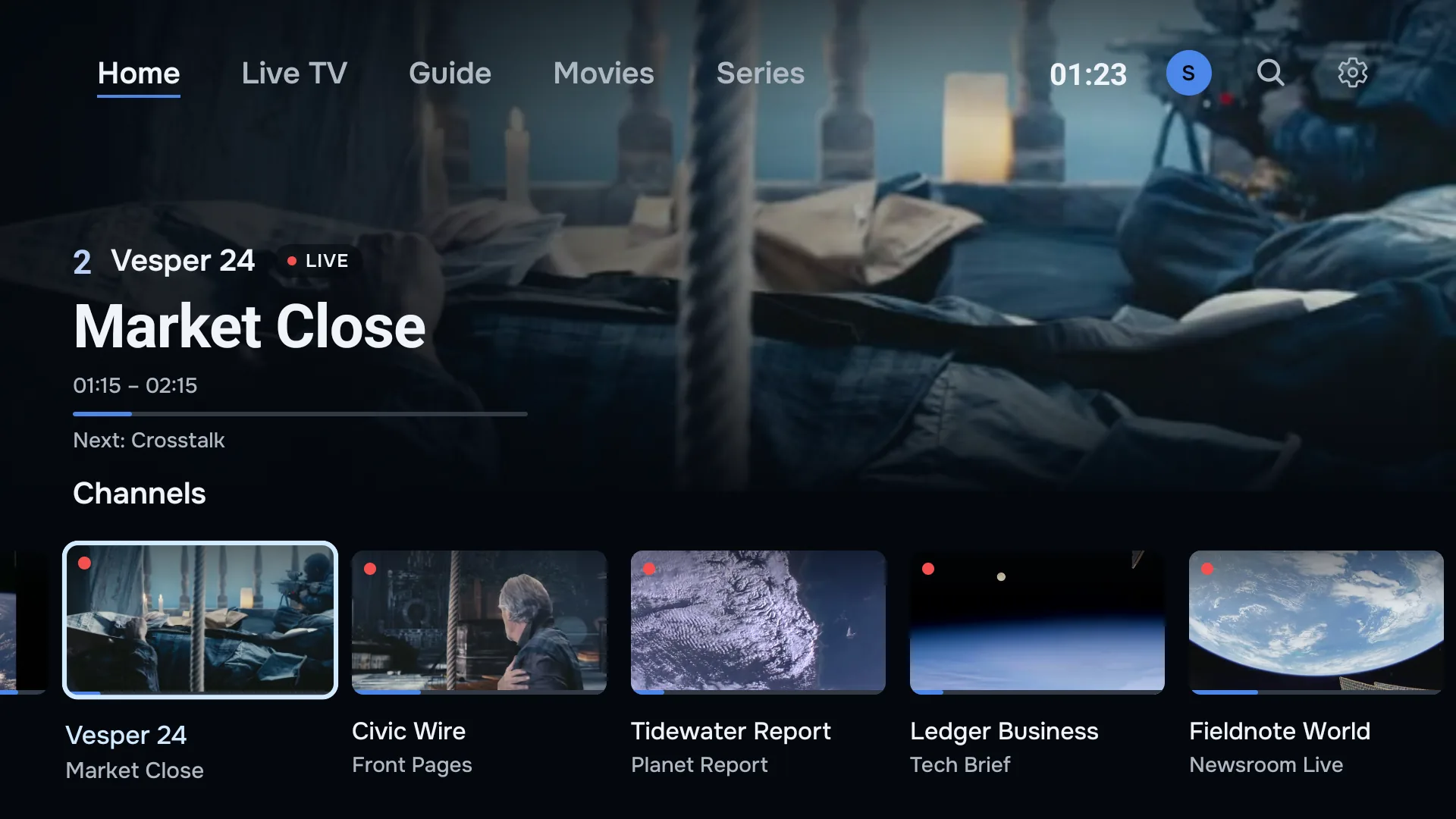
- Works with Xtream Codes and M3U
- Fire TV · Google TV · Android TV · Android phones
- Two screens on every plan
- Made in the Netherlands
Built for the big screen, not ported to it.
Most IPTV apps look like a settings menu. ZiroTV lays out your provider’s channels, films and series like a streaming service, for a couch, a remote and a big panel in a dark room.
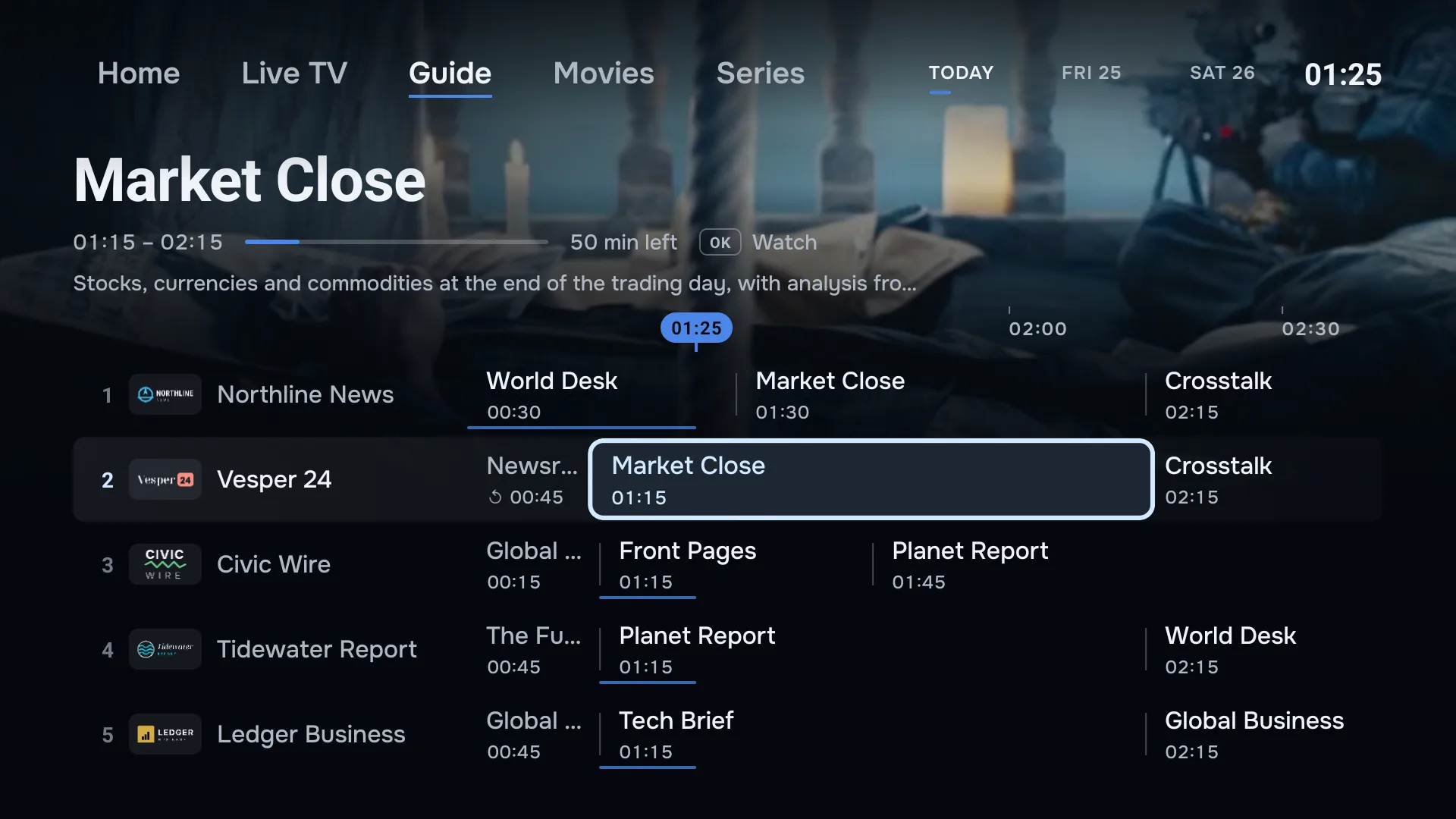
Films and series, laid out like a streaming service.
Your provider’s films and series arrive with backdrops, posters and synopses, in rows you scroll from the sofa. Series open by season, and the next episode starts on its own when one ends.
Continue watching keeps the titles you started, and plays on from where you stopped.
Rewind live TV. Catch up on the rest.
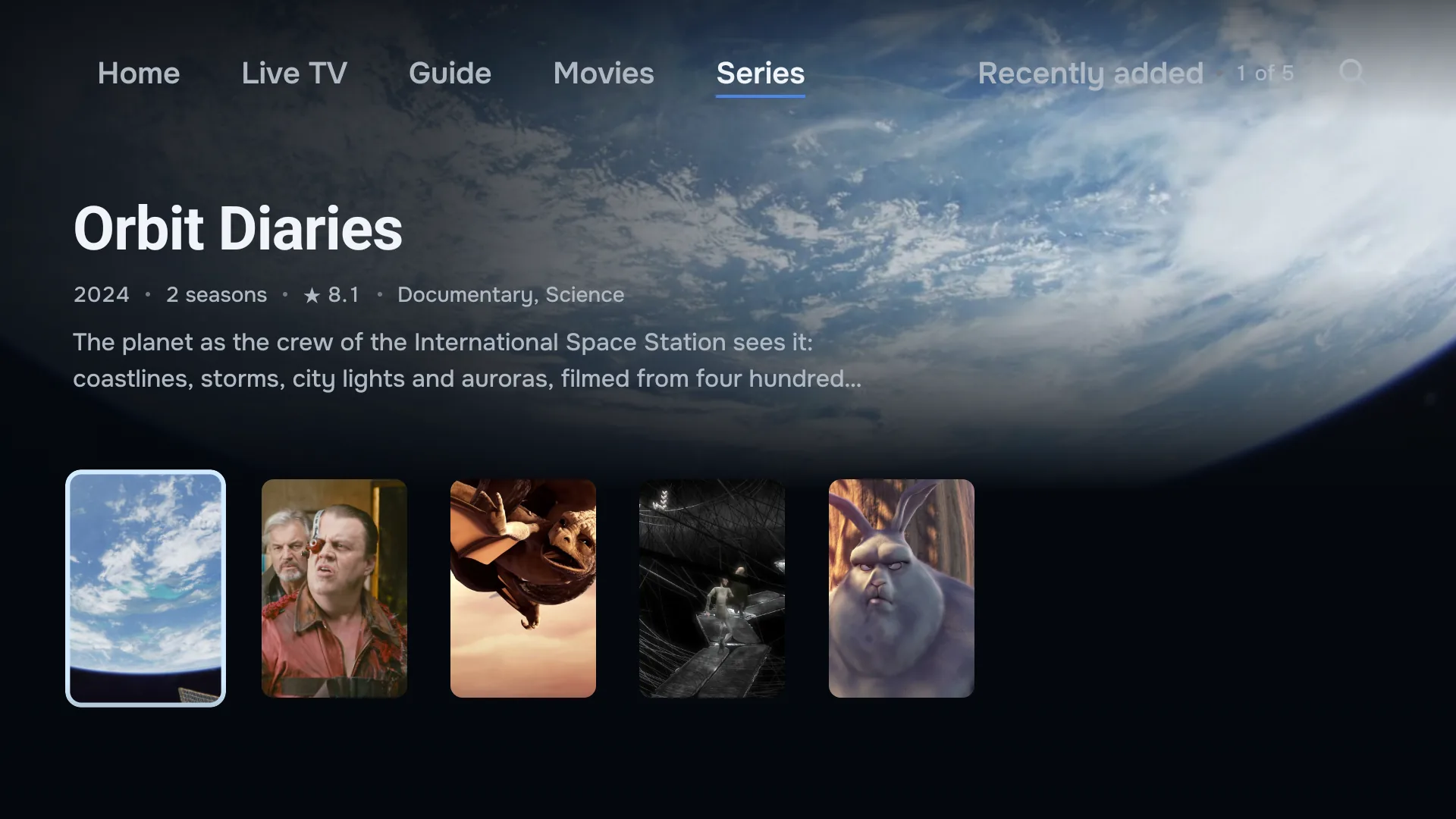
Missed the goal? Press rewind and see it again, then jump back to live. Go back in the guide to play a programme that has already aired. Both work on channels where your provider keeps an archive.
The full TV guide comes from your provider’s EPG, matched to your channels by name where their IDs do not line up.
Your playlists, managed online.
Add, edit and delete the playlists on your account at app.zirotv.com. Every TV and phone signed in to it follows by itself, and a new playlist turns up with a notice to say so.
One press between sections.
Home, Live TV and Guide sit along the top of the screen, with Movies and Series when your playlist carries them. Named rather than hidden behind icons, and one press apart.
Add a playlist without the remote.
Scan the code on your TV and type your login on your phone. The TV picks it up the moment you save. Typing a password with arrow keys is now optional.
- Made for the remote
- Zap in one press, or type a channel number to jump.
- Profiles and PIN
- Everyone’s own favourites, a lock where you want one.
- Multiple playlists
- Two providers, one guide.
- Tidy lists
- Clean channel names. Hide and rename the rest.
- Downloads
- Films and episodes for offline viewing on your phone.
- Audio and subtitles
- Switch tracks when the stream carries them.
- Sleep timer
- Fall asleep to it.
- Updates in the app
- New versions arrive on the TV.
On every screen you own.
Fire TV
Fire TV Stick, Stick 4K, 4K Max and Cube. Built for the Fire TV remote.
ZiroTV for Fire TVGoogle TV and Android TV
Google TV Streamer, Chromecast with Google TV, SHIELD, and TVs from Sony, Philips, TCL and more.
ZiroTV for Android TVAndroid phones and tablets
The same account in your pocket, with downloads and picture-in-picture.
ZiroTV on your phone
Samsung or LG TV? Plug in a Fire TV or Google TV stick and you are set.
From install to watching in about three minutes.
Install ZiroTV.
On a Fire TV or Google TV, type zirotv.com/apk into the Downloader app. On a phone, download it from this site.
Add your playlist.
Scan the QR code on your TV and enter your Xtream Codes login or M3U link on your phone.
Watch free for 7 days.
Everything is unlocked. To keep it, choose a plan at app.zirotv.com and sign in on your screens.
Pricing
Every feature. Two screens. Choose how you pay.
No feature tiers and no ads. Every plan unlocks the whole app on two screens, TVs or phones. You only choose how often you pay.
Monthly
Flexible
€4.99 a month
- Every feature
- Two screens included
- Cancel any time
Yearly · best value
The whole season
€9.99 a year
Under €0.84 a month, billed yearly.
- Every feature
- Two screens included
- Cancel any time
Lifetime
Buy it once
€24.99 once
- Every feature
- Two screens included
- Paid once, never renews
Prices include VAT. Try every feature free for 7 days first. When you are ready, choose a plan at app.zirotv.com and pay securely with Mollie. You never pay on your TV. Refund policy
Need more screens? Contact us.
Coming from another player?
Bring the same Xtream Codes login or M3U link, typed on your phone instead of with the remote. Every feature is on every plan, on the TV and on your phone. ZiroTV does not record programmes. Catch-up and live rewind bring back what you missed instead.
What ZiroTV does, and does not doThe honest answers.
Does ZiroTV include channels?
No. ZiroTV is a player. It plays the playlist you get from your own provider, as an Xtream Codes login or an M3U link. We do not host, sell or link to any channels, films or streams, and we do not recommend providers.
Is ZiroTV legal?
Yes. ZiroTV is a media player, in the same way VLC is. It contains no channels, links or add-ons. Whether a stream is legal depends on where it comes from, so use a provider that has the rights to what it offers. You are responsible for what you add.
What do I need to start?
A Fire TV, a Google TV or Android TV device, or an Android phone. You also need the Xtream Codes login (server, username and password) or the M3U link from your provider. Add an EPG link if your provider gives you one.
Which devices does it run on?
Fire TV devices on Fire OS 6 or newer, Google TV and Android TV on Android 7.0 or newer, and Android phones and tablets. The Fire TV Stick 4K Select, the 2026 Fire TV Stick HD, Samsung, LG, Roku, Apple TV and iPhone are not supported yet.
How many screens can I use?
Every plan covers two screens on your account, TVs or phones. Need another? Contact us.
What happens when the free trial ends?
The app asks you to choose a plan. Create an account at app.zirotv.com, pay with Mollie, and sign in on your screens. Nothing is charged automatically, because the trial never asked for a card.
Get ZiroTV on your TV tonight.
Download the app, add your playlist and enjoy 7 days on us.
Already have an account? Sign in at app.zirotv.com