An IPTV player for Xtream Codes and M3U, built for the big screen
ZiroTV plays your provider’s Xtream Codes login or M3U link on Fire TV, Google TV, Android TV and Android phones. You get live rewind and catch-up where your provider keeps an archive, a full TV guide from your EPG, films and series laid out like a streaming service, and playlists you manage online and find on every screen. Every feature is on every plan.
Live TV that keeps up.
Zap in one press.
Up and down on the remote change channel. OK opens the channel list, sorted into your provider’s categories, and search finds a channel by name. If your remote has number keys, type a number and ZiroTV tunes that channel, whichever category is open.
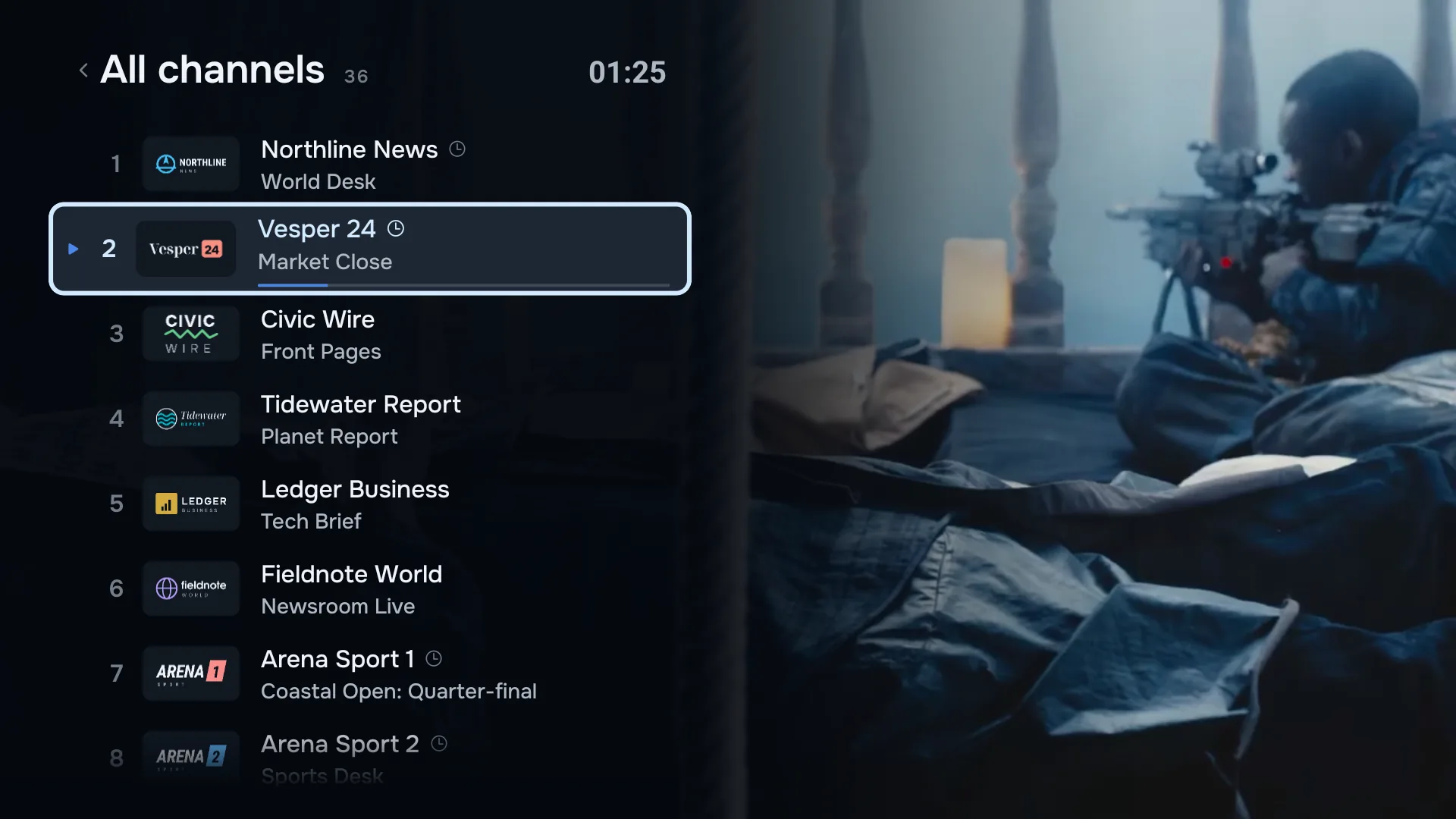
Favourites first.
Mark the channels you actually watch, and they get a list of their own at the top.
Back to the last one.
The channels you watched most recently wait in their own list, one press away.
Dead channels out of the way.
On your phone, a stream check tests every channel and hides the ones that do not answer.
Live rewind and catch-up.
Missed the goal? Press rewind on the remote and see it again, then press play to jump back to live.
Live rewind steps back through the programme you are watching, and fast-forward catches up. Catch-up goes further: go back in the guide and play a programme that has already aired. Both use your provider’s archive, are part of the TV app, and need an Xtream Codes login.
Not every provider keeps an archive, or keeps one for every channel, so check with yours.
A full TV guide from your EPG.
Now, next and the days ahead.
Add the EPG link your provider gives you, or let an Xtream Codes login bring its own. ZiroTV draws the whole guide: channels down the side, programmes along a timeline, and a line at the current time. Hold OK while you watch to open it.
When the channel IDs in a playlist do not match the guide, ZiroTV matches them by name. Confident matches apply themselves, and the rest wait for you to confirm.
How IPTV guides work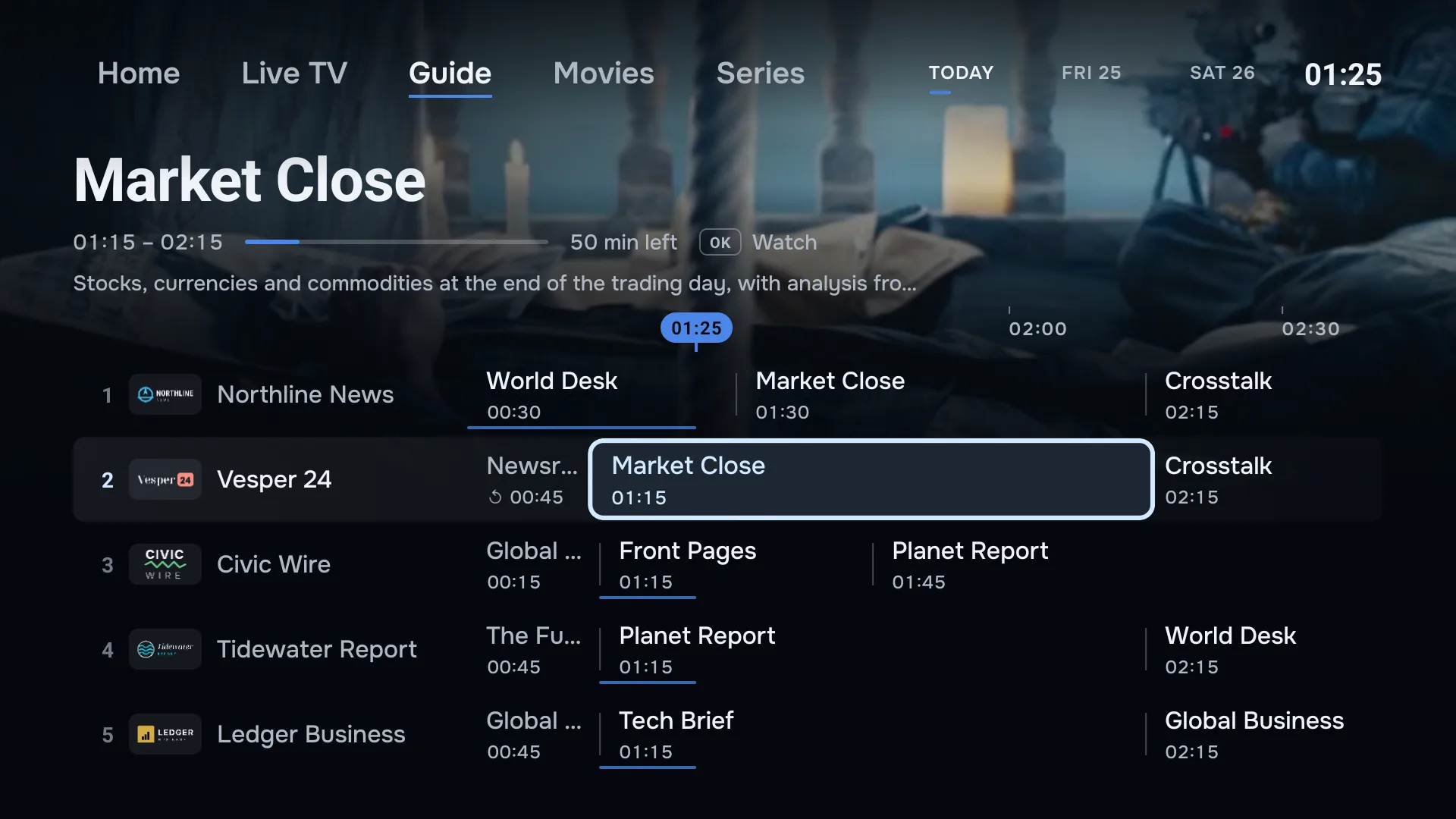
One press between sections.
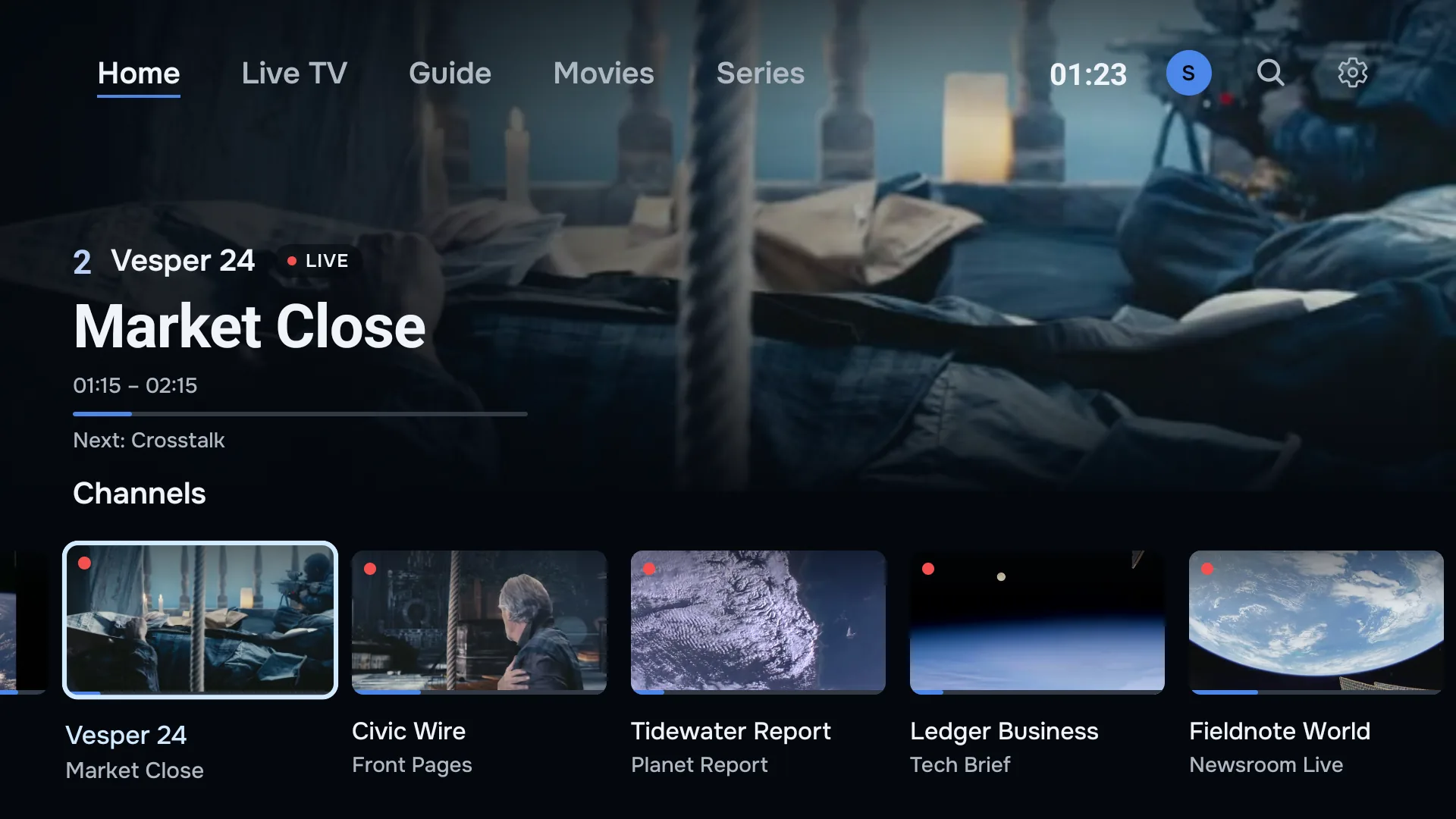
Home, Live TV, Guide, Movies, Series.
The sections sit along the top of the screen, by name, and the one you are in is underlined. Home puts the channel you are watching over its own picture, with what is on now and next, and rows of your channels, films and series below.
Movies and Series join the strip when your playlist carries them, which takes an Xtream Codes login.
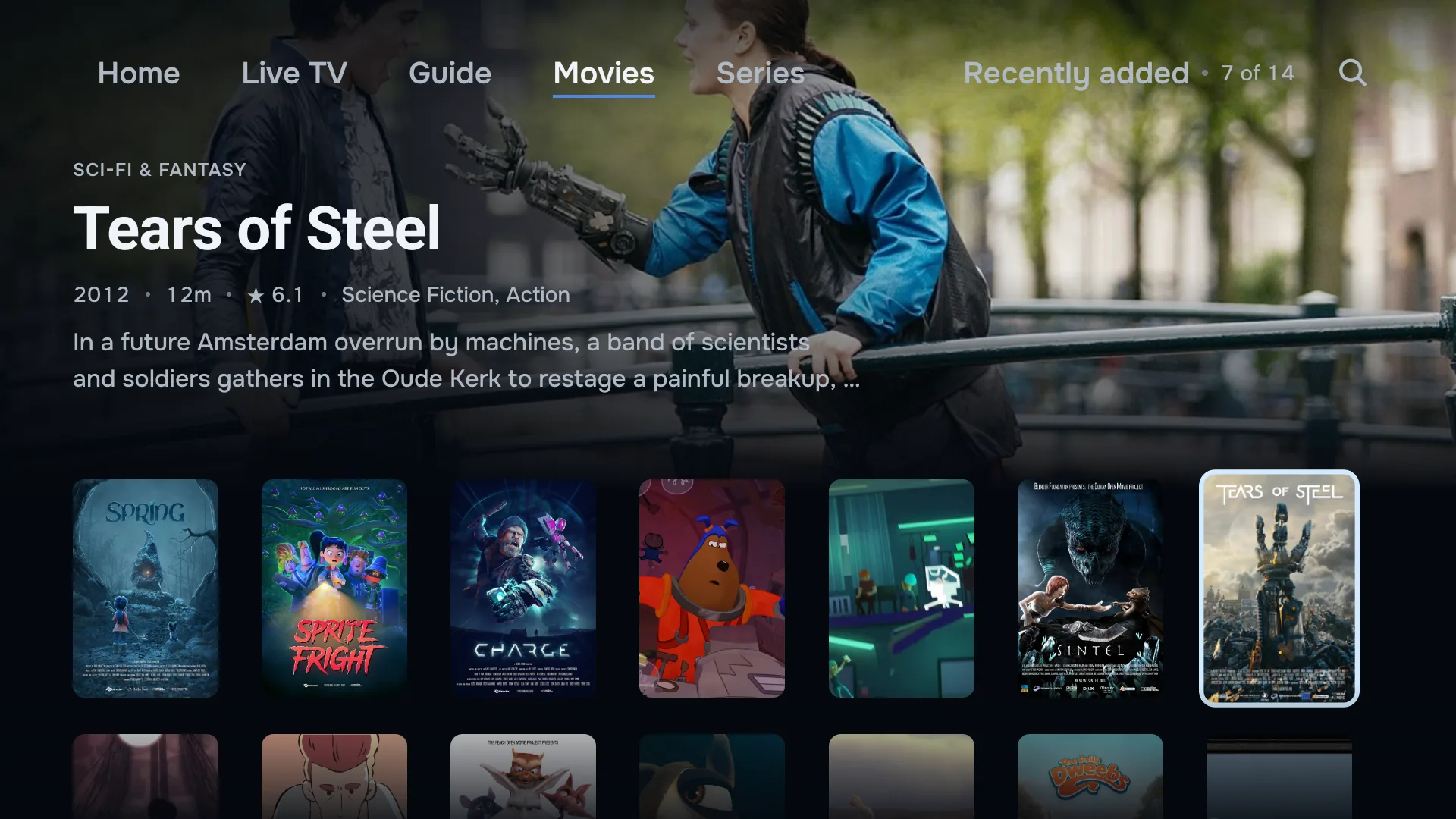
Films and series, laid out like a streaming service.
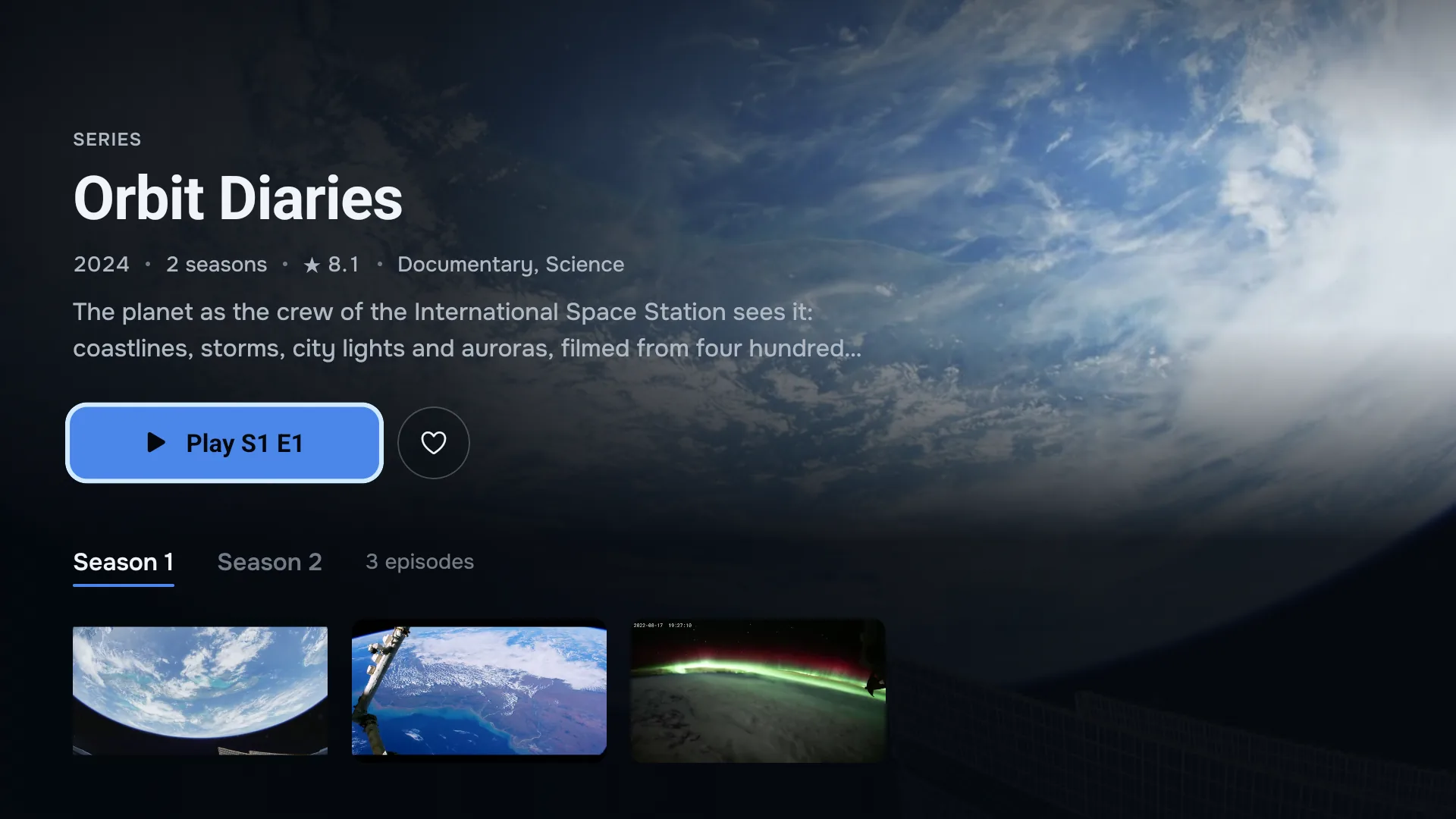
Your provider’s films and series arrive with backdrops, posters, synopses and seasons, in rows you scroll from the sofa.
Pick up where you stopped.
Each section opens on a title across the whole screen, with its year, length or seasons, rating and story. Continue watching keeps the films and episodes you started on this screen, shows how much is left, and plays on from where you stopped.
Every season, and the next episode.
A series opens by season, with every episode in a row. When one ends, the next starts on its own. Where your provider lists a trailer, it plays from the title’s page, and favourites keep the rest close.
Your playlists, managed online.
Sign in at app.zirotv.com/account to see the playlists on your account. Add one, change a login or an EPG link, or delete the ones you no longer use.
Every TV and phone signed in to that account follows. A new playlist turns up by itself with a New playlist notice: within seconds while the screen for adding one is open, within half a minute while you watch, and otherwise the next time you open ZiroTV.
Cloud sync carries the playlists themselves: their names, logins and EPG links. Logins travel over HTTPS and are stored encrypted, so a new TV is ready without retyping anything.
Favourites, profiles, settings and where you stopped stay on each screen. To take them to a new one, backup and restore writes them to one file, and puts back the parts you choose.
Works with Xtream Codes and M3U.
Bring the login or the link your provider gave you. ZiroTV reads both, and keeps several side by side.
Xtream Codes.
A server address, a username and a password. ZiroTV loads live TV, films and series from it, and finds the guide on its own.
M3U links.
One playlist URL, usually ending in .m3u or .m3u8. Add your provider’s EPG link beside it for the guide.
More than one playlist.
Keep several providers in the app. Combine all playlists makes one list, and when a stream fails, ZiroTV tries the same channel from another.
Tidy by default.
Provider lists arrive full of quality tags and symbols. ZiroTV cleans the channel names as it imports them, and sorts the categories.
Hide the channels and categories you never watch, rename the ones you do, and put the categories in your own order. Your changes survive every playlist refresh.
Profiles for everyone, PIN where it matters.
A profile each.
Everyone in the house gets their own favourites. When there is more than one profile, ZiroTV asks who is watching.
Kids profiles.
Mark a profile as a kids profile, and hide the categories it should not see. Each profile keeps its own hidden list.
PIN and app lock.
Put a PIN on any profile. On a phone, lock the whole app with a PIN, and open it with your fingerprint or face.
Set up once, from your phone.
Typing a password with arrow keys is optional. Choose Add from your phone on the TV, and it shows a code.
Scan it, or open app.zirotv.com/add and enter the code and key from the screen. Type your Xtream Codes login or M3U link on your phone, save, and the playlist appears on the TV.
Signed in to your account? Add it at app.zirotv.com/account instead, and every screen on the account picks it up.
On your phone, too.
The same app runs on Android phones and tablets, with a touch layout of its own.
Downloads.
Save films and episodes to watch without a connection, where your provider allows it.
Reminders.
Tap a programme in the guide, and your phone reminds you a minute before it starts.
Picture-in-picture.
Keep the stream playing in a small window while you use other apps.
Playback controls.
The player handles the mixed stream formats providers send, and gives you the controls to make them fit your screen.
- Audio and subtitles
- Switch tracks when the stream carries them. On a TV, the menu button opens them.
- Picture modes
- Fit, fill, 16:9 or 4:3: fill the panel or keep the shape.
- Sleep timer
- Playback stops after the time you set.
- Another player
- Open a stream in a player you have installed, such as VLC or MX Player.
Updates without an app store.
When there is a new version, ZiroTV offers it as you open the app.
Choose Update now, and it downloads the file from zirotv.com and hands it to your device’s installer. Your playlists and settings stay, and there is nothing to reinstall. Settings > Check for updates looks for one whenever you like.
What ZiroTV does not do (yet).
Better to know now than after you install.
- No recording, to a USB drive or anywhere else
- No multiview: one channel on the screen at a time
- No Stalker or MAG portal logins, only Xtream Codes and M3U
- No app for Samsung, LG, Roku or Apple TV. A Fire TV or Google TV stick in the TV works
- No iPhone or iPad app yet
- No casting from your phone to a TV
- No sync of favourites, profiles or watch progress between screens. A backup file carries them to a new one
- No channels, films or playlists of its own. ZiroTV plays what your provider gives you
Get ZiroTV on your TV tonight.
Download the app, add your playlist and enjoy 7 days on us.
Already have an account? Sign in at app.zirotv.com