IPTV EPG explained: how the TV guide works
Updated
An IPTV EPG, or electronic programme guide, is the schedule behind your player’s TV guide. Providers publish it as an XMLTV file at a web address. With an Xtream Codes login the guide usually comes along by itself; with an M3U playlist you add the EPG link yourself. When the guide stays empty, the link, the channel IDs or the clock are almost always the cause.
What an EPG is
The EPG is a file that lists channels and, for each one, the programmes coming up with their start and end times, titles and often a description. Almost every IPTV provider uses the same format for it, XMLTV. A tiny one looks like this:
<tv>
  <channel id="news.example">
    <display-name>Example News</display-name>
  </channel>
  <programme start="20260916180000 +0200" stop="20260916183000 +0200" channel="news.example">
    <title>Evening Bulletin</title>
    <desc>The day's headlines.</desc>
  </programme>
</tv>
Each channel has an ID, and each programme names the channel it belongs to. The times carry their offset from UTC, here +0200, so the player can show them in your own time zone. A provider’s real guide holds thousands of channels and several days of programmes, and runs to many megabytes.
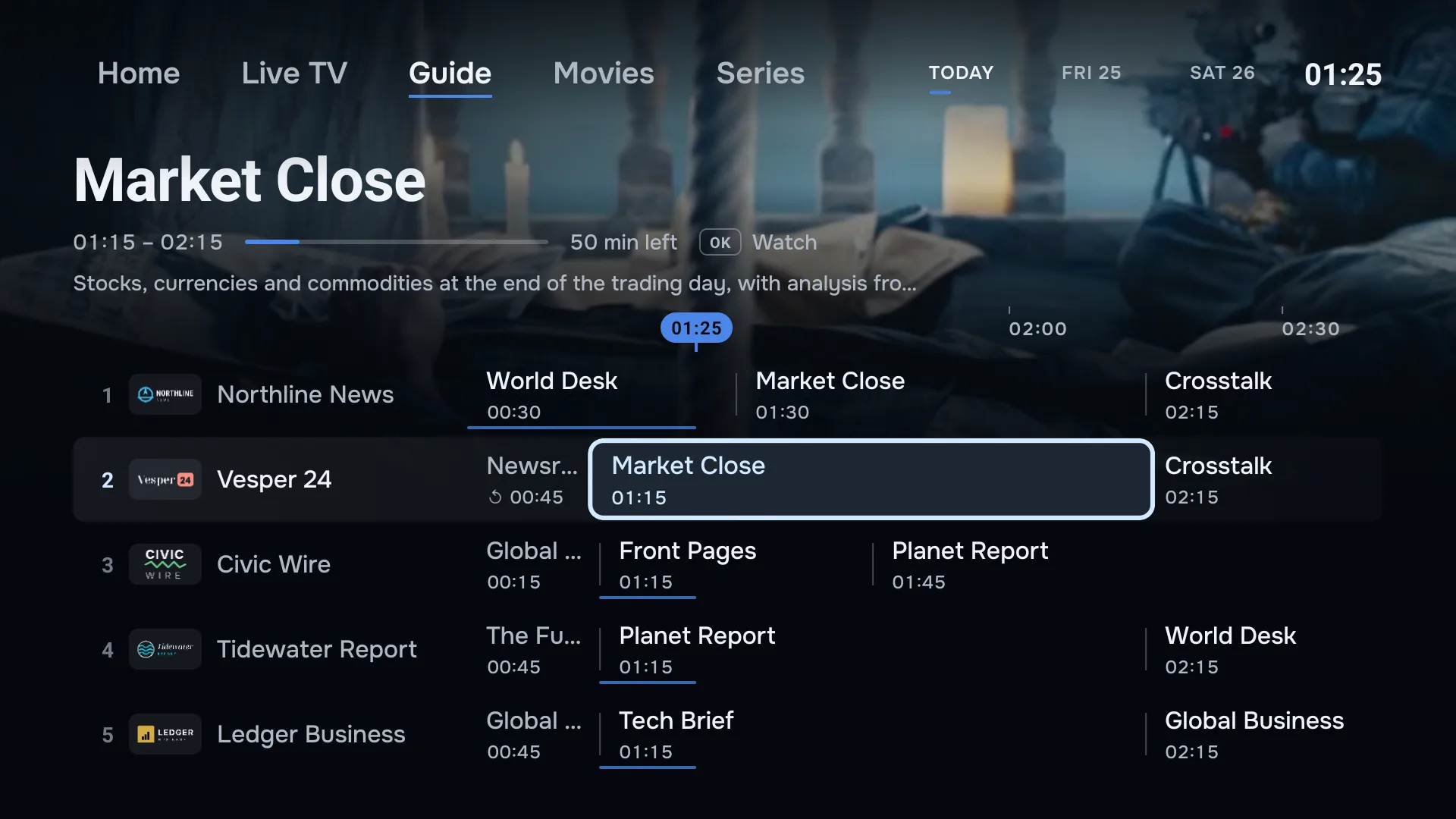
The player turns that file into the grid you scroll through: channels down the side, time along the top, and a line for now.
Where the EPG link comes from
With an Xtream Codes login, the server publishes the guide at a fixed address built from your login, and the player fetches it without asking you. In ZiroTV you leave the EPG field empty. Fill it in only if your provider gave you a different guide link, because a link you enter replaces the login’s own guide.
With an M3U link, the playlist carries no schedule, so the guide needs its own link. Providers usually list it next to the M3U link in your account or welcome email, sometimes as an XMLTV link. It often ends in .xml or contains xmltv.php.
Use the guide your provider gives you. Its channel IDs are written to match its own playlist, which is what makes the programmes land on the right channels. Xtream Codes vs M3U covers the two logins in more detail.
How the guide finds your channels
A player has to decide which schedule belongs to which channel. ZiroTV does it in three passes:
- By ID. A channel whose
tvg-idappears in the guide gets that schedule. - By name. A channel without a matching ID is looked up by its name in the guide’s channel names.
- By a close name. What is still unmatched is compared once more, ignoring labels such as HD or FHD, country prefixes and text in brackets. Only a very close match is used, to keep programmes off the wrong channel.
Channels that match nothing show their name without programmes. That is normal for a few channels in most playlists: not every channel a provider carries is in its guide.
How to add an EPG link in ZiroTV
When you add a playlist, paste the link into EPG / TV guide URL before you select Add & Sync. To add or change the link on a playlist you already have:
- Open Settings.
- Select the edit button (the pencil) next to the playlist.
- Paste the link into EPG / TV guide URL, replacing the old one.
- Select Save & Sync.
On a TV, Add from your phone lets you paste a long EPG link on your phone instead of typing it with the remote, when you add a new playlist.
How the guide stays up to date
ZiroTV shows your channels as soon as they are loaded and fetches the guide straight after, so the grid fills in a moment later. It keeps the guide for 30 minutes, then downloads it again at its next check: every 15 minutes while the app is open, when you come back to the app, and when you stop watching. It never starts a download while a channel is playing, so the picture keeps the connection to itself. You do not need to refresh the guide by hand.
The guide in ZiroTV runs from a couple of hours ago to as far ahead as your provider publishes, often several days. Programmes that aired earlier are listed by the catch-up list instead, which asks the provider directly. How catch-up works.
Why is my TV guide empty?
Work through these in order. Most empty guides are fixed by the first three.
There is no EPG link
An M3U playlist without an EPG link has no guide at all. Ask your provider for the link and add it as shown above.
The link is wrong or has expired
A guide link often contains your username and password, so it stops working when they change or the subscription ends. Copy it again from your provider, and check it has no spaces or missing characters.
The guide needs a moment
A big guide takes a while to download and match after a sync. Give it a minute before you change anything, and keep the app open while it loads.
The link points to a compressed file
Some guide links end in .gz, a compressed copy of the file. ZiroTV reads the plain XMLTV file, so ask your provider for the uncompressed version, usually the same address without .gz.
The guide is very large
ZiroTV reads up to the first 16 MB of a guide and gives the download two minutes. That covers the next hours for a large number of channels, but a guide that lists many days per channel, or a server that sends it very slowly, can leave some channels empty. If your provider offers a guide with fewer days or fewer channels, use that one.
The IDs and names do not match
A guide from somewhere other than your provider, or one made for another region of the same service, uses IDs and names your playlist does not have. Use the guide link that belongs to your playlist.
The provider’s guide server is down
It happens, and the guide comes back on its own once the server answers again. ZiroTV tries again on its usual schedule.
Why are the guide times wrong?
If every programme is off by the same amount, usually an hour or more, the device’s time zone is the likely cause. On a Fire TV, check Settings > Preferences > Time Zone. On Google TV, check Settings > System > Date & time. If the clock is right, the guide itself may leave out the offset from UTC: ZiroTV then reads its times as UTC, and only your provider can fix the file.
If only some programmes are wrong, the provider’s schedule for those channels is out of date. The guide can only be as good as the file it comes from.
Questions.
What is the EPG on IPTV?
The EPG, or electronic programme guide, is the schedule behind the TV guide: which programme is on which channel, and when. IPTV providers publish it as an XMLTV file, which the player downloads and matches to your channel list.
How do I get an EPG for IPTV?
From your provider. With an Xtream Codes login the guide usually comes along by itself. With an M3U link, ask your provider for its EPG or XMLTV link; it is often shown next to the playlist link in your account or welcome email.
Why is the EPG not showing up?
Most often the EPG link is missing, expired or compressed, or the channel IDs in the guide do not match your playlist. Check that the link is added to the playlist and still works, and give the player a minute after a sync: a big guide takes a while to download and match.
How do I update the EPG?
You rarely need to. ZiroTV downloads the guide again once it is 30 minutes old, as long as the app is open. If your provider gives you a new EPG link, edit the playlist in ZiroTV’s settings, paste the new link and choose Save & Sync.
A guide that fills itself in.
Add your playlist to ZiroTV and it matches the guide to your channels for you. Try every feature free for 7 days.
Already have an account? Sign in at app.zirotv.com