Catch-up and live rewind on IPTV, explained
Updated
Catch-up plays a programme that has already aired, from your provider’s archive, straight from the TV guide. Live rewind uses the same archive to take you back through what is on now. Both depend on your provider keeping the channel in its archive. In ZiroTV, both work with an Xtream Codes login on Fire TV, Google TV and Android TV.
Where the programmes come from
Nothing is recorded on your TV. Many IPTV providers keep what their channels broadcast on their own servers for a while, often a few days, for some channels and not others. That store is the archive. When you ask for a programme that aired yesterday, the player asks the provider’s server for that channel from that start time, and the server sends it like a film.
So catch-up can only reach as far back as the provider keeps, and only on the channels it archives. ZiroTV marks the channels that have an archive, and only offers programmes that fall inside it.
Catch-up: watch what already aired
Catch-up is for the film that started before you got home, or last night’s match you missed entirely. In ZiroTV on a TV:
- Open the TV guide. Hold OK while a channel plays, or use the guide button if your remote has one.
- Move left, back in time, along a channel’s row. In the channel list, channels with an archive carry a small clock.
- Select a programme that has already aired. The Catch-up list opens for that channel, with what it can replay, newest first and sorted by day.
- Select a programme to play it from the start.
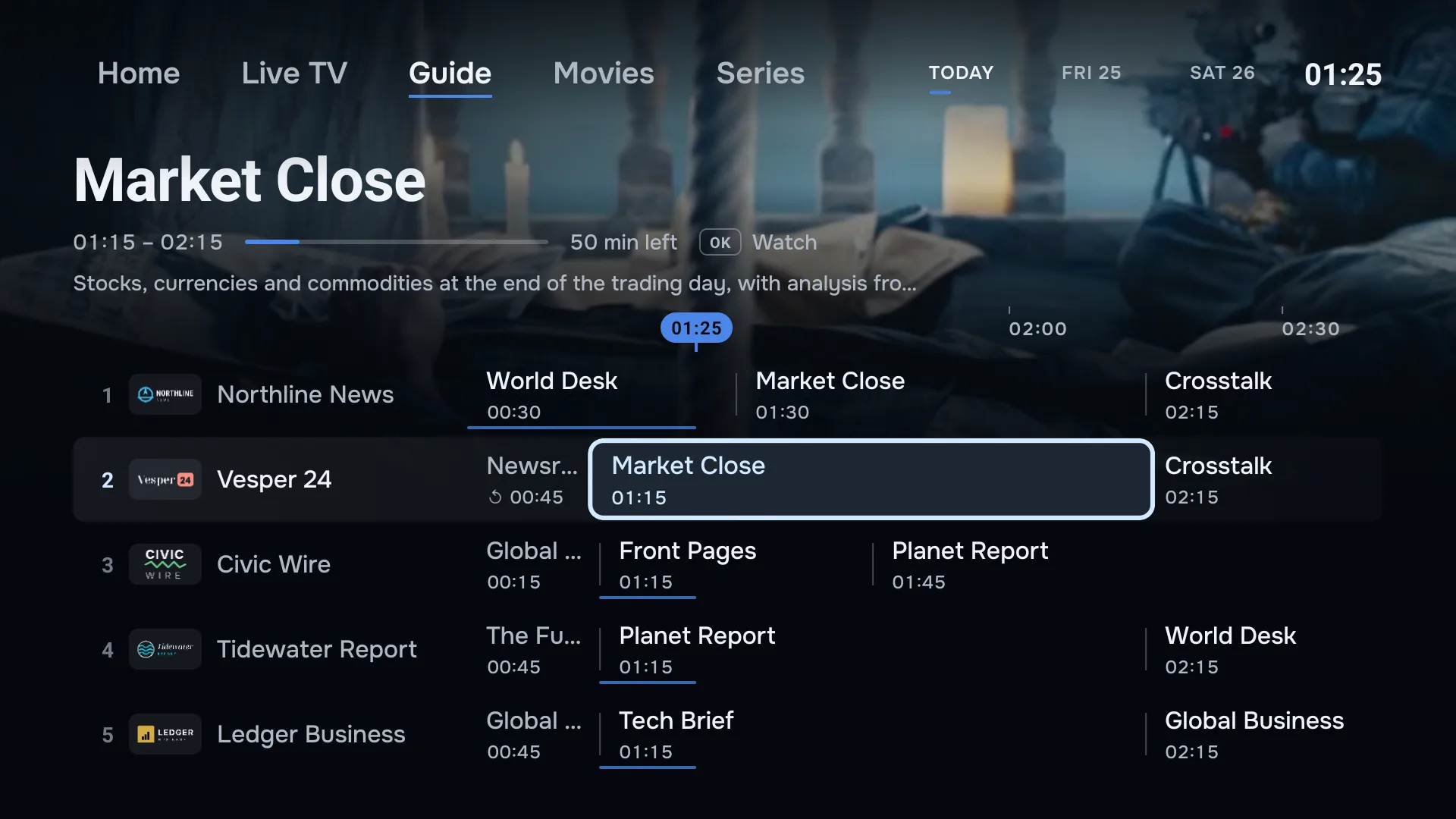
A catch-up programme plays in the same player as a film, so you can pause it and skip through it. The list reaches back up to three days, even when a channel’s archive is longer. If it says Nothing recorded yet on this channel, the provider has no archive for it at the moment.
Live rewind: go back in what is on now
Live rewind, sometimes called timeshift, is for the moment you just missed: a goal, a line of dialogue, the start of the news. It works on the channel you are watching, while you watch it:
- Press left, or the rewind button, to go back 30 seconds. Press it again to go further; the presses add up, and the picture jumps once you stop.
- The information bar shows how far behind live you are, as a minus time such as −2:30.
- Press right, or fast forward, to move back towards live.
- Press play/pause or Back to return to live straight away.
Switching channel always starts the new one at live. How far back you can go depends on the channel’s archive; if the channel does not say, ZiroTV allows up to a day.
Can you pause live TV?
Not in the TV app. Live rewind takes you back through the live picture, but it does not hold it still: when you are behind live, the play/pause key returns you to live, and at live it only shows the information bar. If you need to step away, rewind when you are back, or open the programme from catch-up once it has aired, where pause works as it does for a film. On a phone, the live player has a pause button, but no live rewind or catch-up.
What catch-up and live rewind need
- An Xtream Codes login. ZiroTV builds catch-up requests from the login, and it does not read the catch-up tags some M3U playlists carry. Xtream Codes vs M3U explains the difference.
- A provider that archives the channel. Not every service keeps an archive, and those that do rarely keep every channel.
- A TV guide. Catch-up is picked from the guide, so the programmes need a schedule. How the IPTV guide works.
- The TV app. Catch-up and live rewind are part of ZiroTV on Fire TV, Google TV and Android TV. The phone app does not have them.
When catch-up does not play
If a programme in the list will not start, the provider’s archive for that moment may be missing or still being written, which is common for the last few minutes of live TV. Try an older programme, or wait a little. If no channel plays from catch-up at all, ask your provider whether your subscription includes it: some services switch the archive off or keep it for certain packages.
Guide times that are off by an hour make catch-up start in the wrong place, because the request uses the guide’s times. Check your device’s time zone first; the EPG guide shows where.
Questions.
What is catch-up on IPTV?
Catch-up lets you watch a programme that has already aired, straight from the TV guide, for as long as your provider keeps it in its archive. Nothing is recorded on your device: the provider stores the programme and the player asks for it.
What is IPTV timeshift?
Timeshift is watching live TV with a delay: going back a few minutes in the programme that is on now. ZiroTV calls it live rewind. It uses the same provider archive as catch-up, so it works on the same channels.
Can I pause live TV?
Not on a TV. There, live rewind steps back through what is on now in 30-second jumps, and the play and pause key takes you back to live rather than pausing. A programme you open from catch-up plays like a film, so that one you can pause. On a phone, the live player has a pause button, but no live rewind or catch-up.
Missed it? Go back.
ZiroTV brings catch-up and live rewind to your Xtream Codes login on Fire TV and Google TV. Try every feature free for 7 days.
Already have an account? Sign in at app.zirotv.com